How to Check If Your Phone Works with a US ENC Mobile SIM
Before buying an overseas ENC SIM card in China, you normally want to make sure your current phone actually supports it, for example whether a China-market vivo X90s or Xiaomi 14 can turn on Wi-Fi Calling.
On this page
That worry makes sense: nobody wants to buy a low-cost SIM card only to find they would need to spend much more on a different phone just to make it work.
The ENC Phone Compatibility Checker
The web tool shown below is the ENC Phone Compatibility Checker. It uses your phone's IMEI to check whether the device is supported. It is not the SIM activation page—just enter your IMEI and click Check.
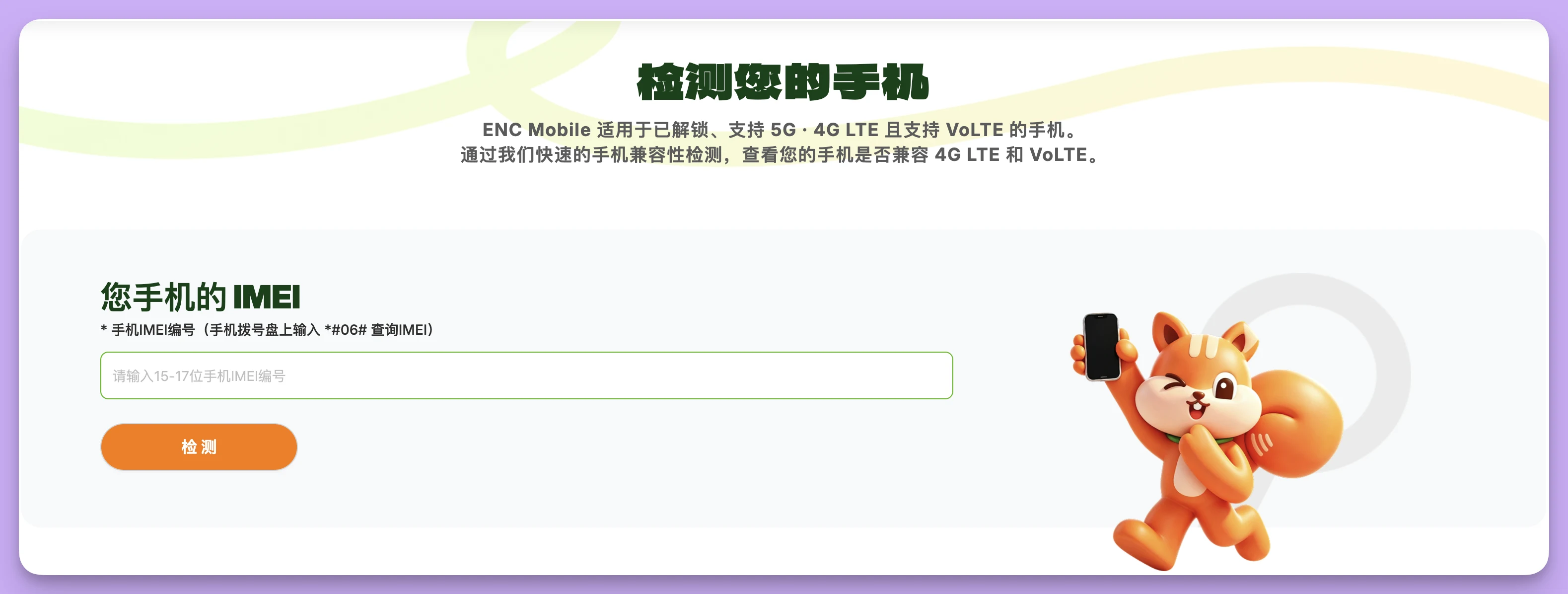
Take your own phone—for example a Xiaomi 14—and follow the steps below.
How to find the IMEI on a Xiaomi 14
Open the Phone app, switch to the dial pad, and enter *#06#.
As soon as you type the final #, the device info screen pops up automatically without placing a call.
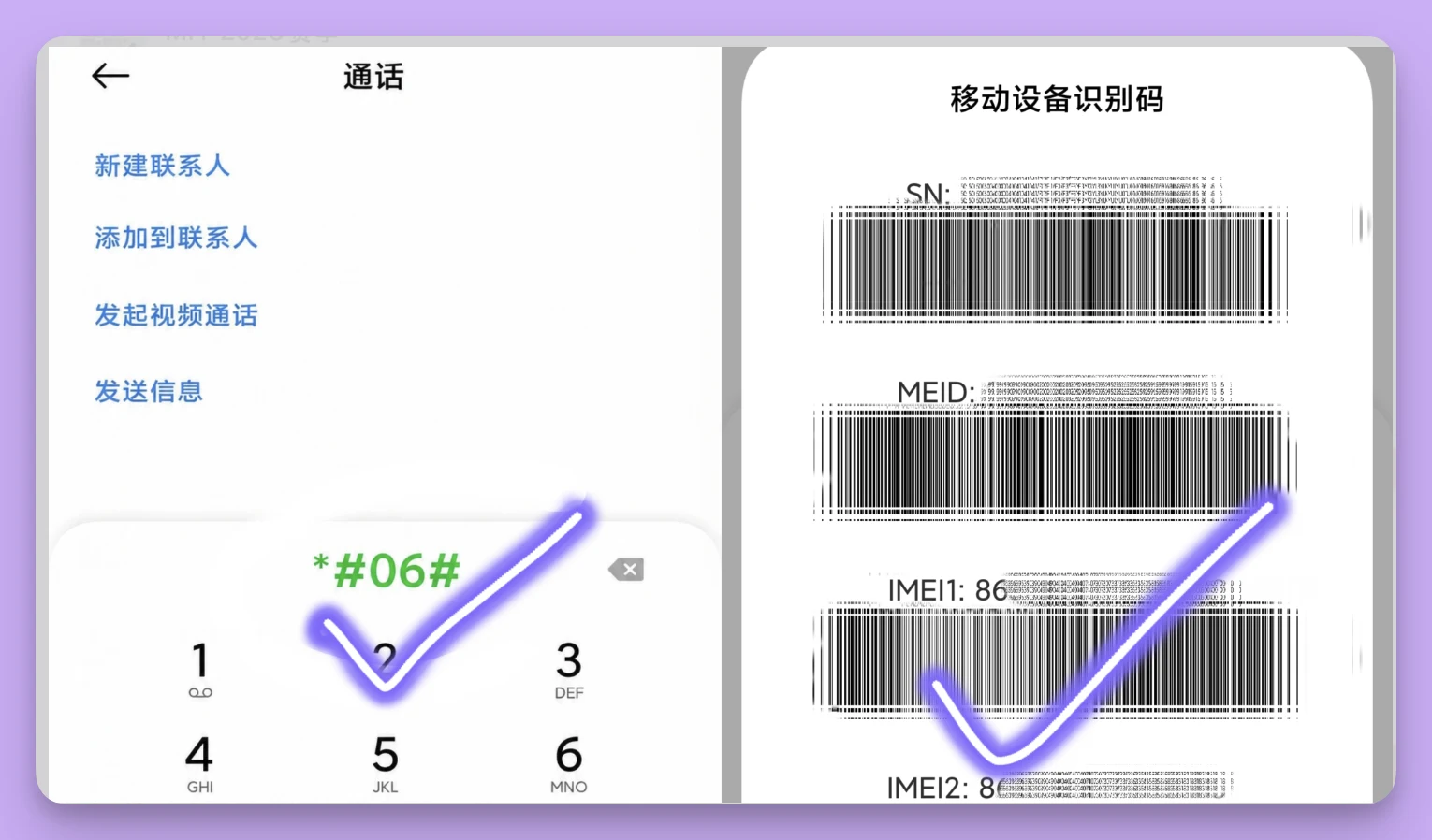
An IMEI is your phone's hardware identifier, 15 digits such as 862514521307800. It is not your phone number and not the serial number printed on the back of a SIM card.
If nothing pops up, open Settings and search for IMEI, or look under About phone; the exact menu name varies by OS version.
If both IMEI1 and IMEI2 appear
Dual-SIM phones show two IMEIs, just like in the screenshot above. Do not worry—simply test them one at a time.
If you plan to put the ENC SIM into slot 1, test IMEI1 first; if you plan to use slot 2, test IMEI2. If you are not sure which slot you will use, check both numbers separately.
Enter only one IMEI per check, never concatenate the two numbers, and do not enter SN, MEID or other IDs shown on that screen.
Enter the digits into the checker box
Open the ENC official compatibility check page and paste the IMEI you just found into the 15–17 digit IMEI box.
Enter digits only—no 'IMEI1:' label, no spaces, and no hyphens—then click the orange Check button and wait for the result. Checking your IMEI does not require buying an ENC SIM first, though you do need internet access to load the page.
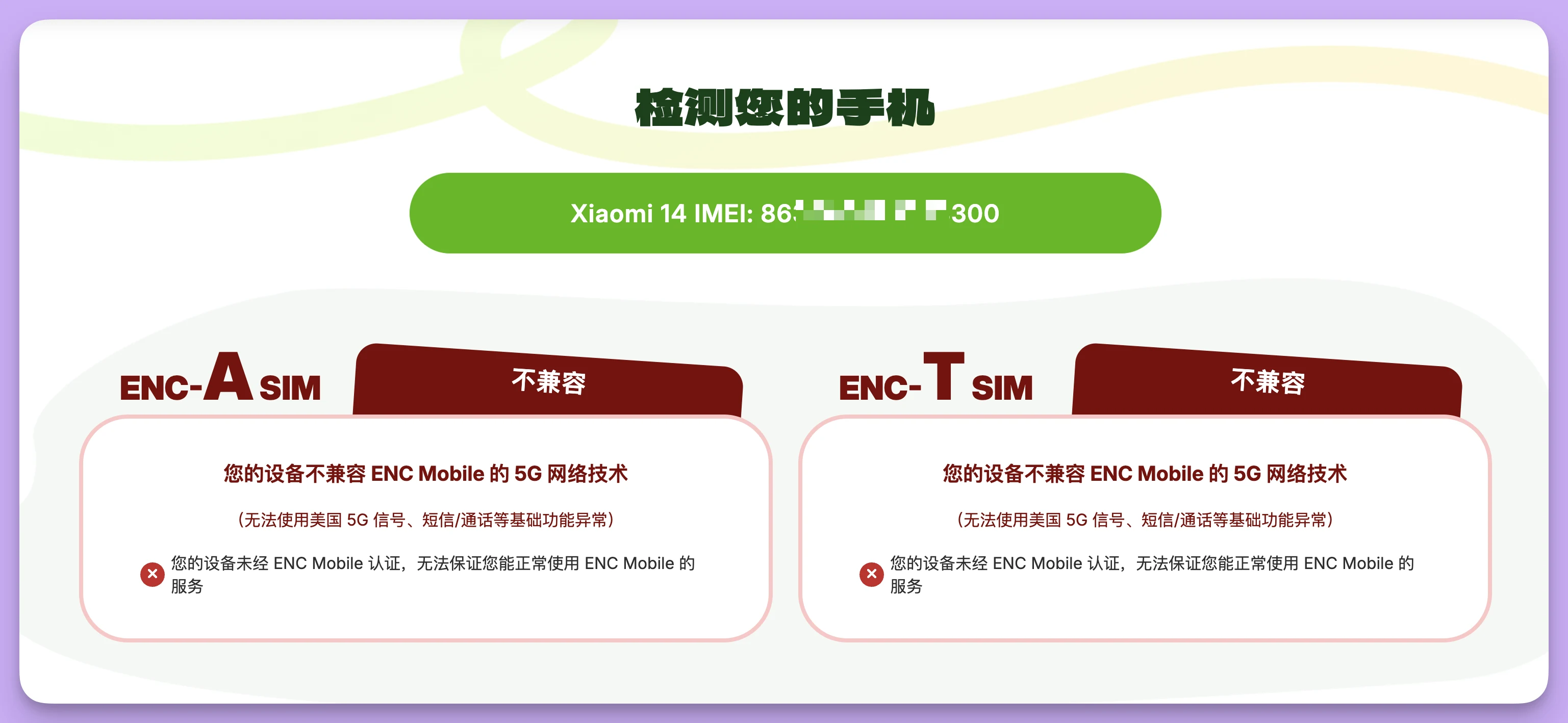
What to do based on the result
In the screenshot above, I tested my own Xiaomi 14. The page recognized the model, yet both ENC-A and ENC-T came back incompatible with a warning that the device is not certified and service cannot be guaranteed. Once you see a result like that, hold off on ordering.
Especially if you want to receive verification codes inside China, you should also send the check result and your OS version to ENC support to confirm Wi-Fi Calling support. This single test reflects my own handset and does not automatically apply to every Xiaomi model.
The ENC device compatibility page states that a phone must be unlocked, support 4G LTE or 5G, and support VoLTE. Those checks verify hardware and carrier-lock status; they do not verify whether a China-market Android ROM exposes a working Wi-Fi Calling toggle. Passing the webpage check only means the hardware meets ENC's baseline requirements.
Your best options right now
If you have a spare unlocked iPhone
Any unlocked iPhone 6S or later works, whether bought in mainland China or overseas. Put the ¥199 US T-Mobile physical SIM (ENC) into that iPhone and keep using your vivo X90s as your daily phone.
When the SIM arrives, do not try to activate it yourself: open a support ticket with your order number and the ICCID starting with 89 on the back of the card, and our team will help activate it. Once activated, connect to Wi-Fi, turn on Wi-Fi Calling until you see the Wi-Fi Calling indicator, then send yourself a text and request one test verification code before linking important accounts.
The first-month plan includes 30 minutes and 100 texts. Subsequent renewals are handled by our support team at ¥66 to ¥99 per month depending on state taxes, and the number is cancelled after 30 days of suspension.
If you only have a vivo X90s and need overseas SMS codes in China
Consider the UK giffgaff self-service SIM at ¥99, in stock in China. It receives texts over standard cellular roaming in mainland China without needing Wi-Fi Calling, so you do not have to worry about whether a China-market Android phone has that toggle. Check giffgaff's China roaming rates for exact pricing.
First, the self-service SIM requires self-activation and a first top-up using an overseas bank card or a £10 official top-up voucher; if you do not have one, choose the giffgaff Worry-free SIM at ¥299 which includes the voucher.
Second, the number needs at least one qualifying paid activity every 6 months (receiving SMS alone does not count). Third, giffgaff has previously deactivated numbers used long term outside the UK, so it is best kept for receiving verification codes and keeping a number active without leaving a large credit balance.
Still not sure?
Email your phone model and the platforms you want to register to support@larksim.com. Our team will advise you before you place an order.
Real UK +44 number · Ships from China · Chinese setup guides
giffgaff UK physical SIM
Register and manage a real UK mobile number yourself, shipped from local stock in China. The self-service SIM suits people who already have a way to top up; the worry-free SIM includes an official £10 top-up voucher.