ENC E911 Error Explained: How to Enable Wi-Fi Calling
Many users in China using a US SIM card (such as a US physical SIM) to receive SMS verification codes get stuck because Wi-Fi Calling cannot be enabled, only to discover that the E911 address was not configured properly. Entering a random US address distorts emergency dispatch data. A valid E911 address is a mandatory requirement for Wi-Fi Calling. This guide explains account verification, settings navigation, activation, and troubleshooting in clear sequence.
On this page
- 1. What Is E911 and Why Wi-Fi Calling Requires It
- 2. Step 1: Confirm Who Owns Your Account
- 3. Setting E911 Address in the T-Life App
- 4. What Address to Use While in China
- 5. Why Users Choose T-Mobile Numbers for SMS in China
- 6. Enabling Wi-Fi Calling After Saving Address
- 7. Pre-Activation Checklist
- 8. Before Binding Important Accounts
- 9. First Year Cost Breakdown
- 10. Updating Address on Moving
- 11. Common Failure Scenarios and Solutions
- 12. Which Option Fits Your Needs Best
- 13. Summary
- 14. FAQ
- 15. Official sources
- 16. Related guides
A valid E911 address is a mandatory prerequisite for enabling Wi-Fi Calling; without it, the encrypted connection tunnel cannot be established. This guide explains how to confirm account ownership, locate settings, enable Wi-Fi Calling after saving, and troubleshoot errors.
If you need a reliable US phone number in China to receive verification codes and make US calls, you can choose between two physical SIM options on LarkSIM: US T-Mobile Prepaid SIM and US T-Mobile Physical SIM (ENC). Both work over Wi-Fi Calling upon arrival with dedicated Chinese support.
What Is E911 and Why Wi-Fi Calling Requires It
E911 is the enhanced emergency location service in the United States. Over a cellular mobile network, dispatchers locate you via cell towers. Over Wi-Fi, there are no standard cell tower coordinates available, so emergency responders rely on your pre-registered address. This is why T-Mobile requires an active E911 address before activating Wi-Fi Calling.
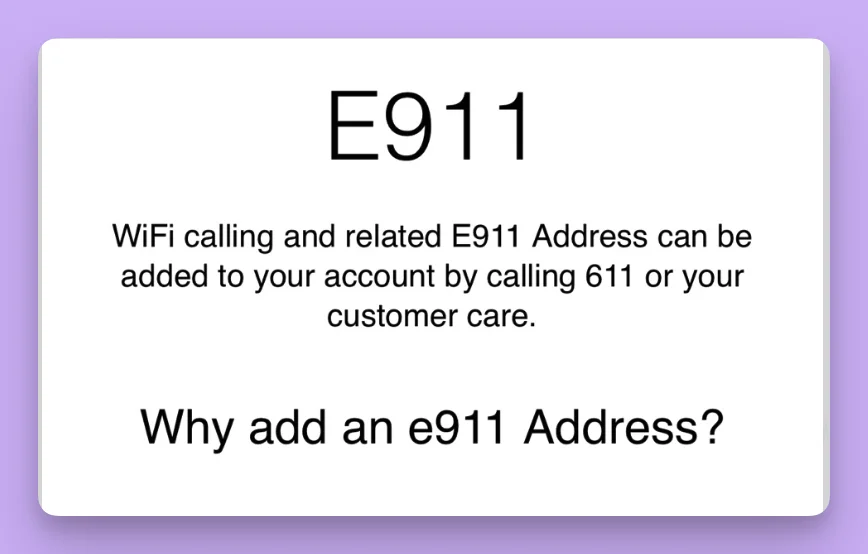
According to official documentation, Wi-Fi Calling requires all of the following conditions to be satisfied simultaneously; missing any one may block the feature:
- check_circleActive account in good standing with line in service
- check_circlePhone handset supporting T-Mobile Wi-Fi Calling
- check_circleStable Wi-Fi connection with normal internet access
- check_circleA valid E911 address registered for this specific line
E911 Address vs Billing Address: E911 is configured per mobile line and is completely separate from your billing address. Changing your billing address does not update E911, and vice versa. Each line under a multi-line account must be configured individually.
Step 1: Confirm Who Owns Your Account
This step is most frequently overlooked, yet it determines where you must go to adjust settings.
Both the ENC SIM and the T-Mobile prepaid SIM are US physical SIMs with real numbers, not VoIP numbers, but they belong to different accounts and are set up in different places.
Direct T-Mobile Accounts: The number is directly under T-Mobile and can be managed via the T-Life App or t-mobile.com. LarkSIM's US T-Mobile Prepaid SIM belongs to this category: official prepaid SIM tied to your personal email.
Brands Using T-Mobile's Network (MVNO): ENC, Ultra Mobile, and similar brands use T-Mobile's physical network but have independent account and support portals. Seeing 'T-Mobile' on your screen does not grant access to the T-Life App. For ENC, contact ENC official Chinese support (400-990-6699) or dial 611 with the SIM inserted.
Not sure which you have: Review where you bought the SIM, which website or app you logged into during activation, and how monthly renewals are handled. If renewals require agent top-ups, it is an MVNO line.
Setting E911 Address in the T-Life App
Applicable to direct T-Mobile native accounts:
- check_circleOpen the T-Life App, log in, navigate to Manage or Account, and tap the gear icon for Settings.
- check_circleGo to Profile and locate E911 Address.
- check_circleSelect the specific line you want to enable Wi-Fi Calling on.
- check_circleEnter the true physical address where the line is predominantly used.
- check_circleSave and reopen the page to confirm the address saved successfully.
Web portal navigation: Log into Account -> Profile Settings -> Select Line -> Line Settings -> E911 Address. Contact T-Mobile support if options differ.
What Address to Use While in China
This is the primary concern for users in China: E911 is US emergency location data and forms strictly require a US postal address.
If you are in China and the form cannot accept your current location, consult your carrier for guidance. Do not arbitrarily enter random hotel or friend addresses.
LarkSIM native prepaid SIMs include activation assistance with your personal email, state preference, and 5-digit ZIP code.
Why Users Choose T-Mobile Numbers for SMS in China
Despite E911 configuration steps, authentic US carrier numbers offer substantial value:
- check_circleReal US mobile number, not a VoIP virtual number. Many platforms strictly restrict virtual numbers while accepting real physical SIM numbers.
- check_circleUsable in China over Wi-Fi. Turning on Wi-Fi Calling allows sending/receiving US SMS and voice calls.
- check_circleRetainable long-term. As long as you renew on time, the number remains yours.
LarkSIM offers two physical SIM options:
US T-Mobile Prepaid SIM is an official prepaid card under T-Mobile. Includes first-month 15 USD plan. Shipped from domestic stock within 24 working hours.
US T-Mobile Physical SIM (ENC) connects in ~5 min over Wi-Fi Calling. Includes 30 min US calls and 100 SMS in month one, with support-assisted renewals.
Enabling Wi-Fi Calling After Saving Address
Setting E911 is step one; next, activate Wi-Fi Calling on your smartphone.
How to enable on iPhone: Connect to stable Wi-Fi; navigate to Settings -> Phone -> Wi-Fi Calling and switch ON; wait a few minutes until 'Wi-Fi Calling' or the Wi-Fi icon appears next to the carrier name.
Post-activation testing: 1. Have a contact call your US number and return the call; 2. Exchange standard SMS messages both ways. Once verified, link to critical accounts.
Wi-Fi Calling is not free calling: Standard plan rates apply based on call destination. Review T-Mobile eSIM Activation & Plans for tariff details.
Pre-Activation Checklist
Check these key points before attempting activation to prevent failures:
- check_circleHandset model supports T-Mobile Wi-Fi Calling: iPhones generally work; verify Chinese Android devices prior to purchase.
- check_circleNetwork lock: Device must be fully unlocked; locked or adapter-SIM phones cannot connect.
- check_circleWi-Fi network: Ensure stable Wi-Fi that does not block IPsec ports.
- check_circleAccount status: Confirm account is active and brand ownership is clear.
- check_circleLine selection: Confirm the intended US line is selected on dual-SIM devices.
- check_circlePlan and balance: Ensure sufficient balance; inactive lines cannot establish Wi-Fi Calling tunnels.
Verifying all six items greatly increases first-attempt success rates.
Before Binding Important Accounts
US numbers safeguard critical credentials like Apple ID, banking, and social accounts.
Use the number for one week first to confirm stability before binding. Enable authenticator apps and backup emails wherever possible.
Note renewal dates on your calendar. ENC cards are cancelled after 30 days unpaid; keep prepaid accounts renewed regularly.
First Year Cost Breakdown
| Item | T-Mobile Native Prepaid | ENC Physical SIM |
|---|---|---|
| Upfront Card Cost | 55 USD (incl. first month 15 USD plan) | 28 USD (incl. first month 30 min + 100 SMS) |
| Subsequent Monthly | Billed at plan price in T-Mobile account | 66–99 CNY / month depending on state tax |
| Renewal Method | Self-serve in T-Mobile account | Via customer support |
| China Usage Mode | Wi-Fi Calling over Wi-Fi | Wi-Fi Calling over Wi-Fi |
Prices based on LarkSIM product listings as of 2026-11-06. ENC numbers cancel after 30 days unpaid.
Updating Address on Moving
If moving or changing location, update the registered address for that line as required by the carrier and confirm in account settings.
Do not open duplicate lines to replace updates. Toggle Wi-Fi Calling off and on to confirm the icon reappears.
Common Failure Scenarios and Solutions
Address refuses to save: Verify street number, city, state code, and ZIP match. Submit screenshot to support if rejected repeatedly.
Line not found in account: Confirm login credentials. MVNO lines like ENC cannot be found in T-Life.
Address saved but Wi-Fi Calling fails: Verify account standing, phone compatibility, and Wi-Fi connection. Toggle switch and restart phone.
Wi-Fi icon present but specific platform codes missing: Test with normal SMS first. If peer SMS works, issue is platform-side risk control.
Stops working on different Wi-Fi: Public or office Wi-Fi may block IPsec tunneling ports. Switch to a reliable home network.
Mainland Android fails to enable: Many domestic models omit carrier Wi-Fi Calling profiles. Consult support before ordering.
Which Option Fits Your Needs Best
For basic SMS verification and easy renewal: Choose US T-Mobile Physical SIM (ENC) for ready-to-use Wi-Fi Calling and support-assisted top-ups.
For direct ownership under T-Mobile: Choose US T-Mobile Prepaid SIM tied to your email with full T-Life management.
Already have a number but Wi-Fi Calling fails: Confirm account ownership first, then verify E911 and network settings.
Summary
E911 addresses are set per line, separate from billing addresses, and are required for Wi-Fi Calling. Identify account ownership, enter compliant address details, and test using standard calls without dialing 911.
For long-term US number usage in China, choose between LarkSIM's US T-Mobile Prepaid SIM or US T-Mobile Physical SIM (ENC).
Can I use any US hotel or warehouse address for E911?expand_more
Does updating my billing address also update E911?expand_more
Can an ENC SIM be configured in the T-Life App?expand_more
Can I dial 911 from China over Wi-Fi Calling?expand_more
官方来源 / Official sources
Real UK +44 number · Ships from China · Chinese setup guides
giffgaff UK physical SIM
Register and manage a real UK mobile number yourself, shipped from local stock in China. The self-service SIM suits people who already have a way to top up; the worry-free SIM includes an official £10 top-up voucher.