X Money needs a US phone number: receive codes and keep the number cheaply with an ENC Mobile SIM
When you open X Money, the first screen asks you to enter your US phone number and sends a code by text. Without a US number, you are stuck right there. The simplest fix is the US T-Mobile physical SIM (ENC), shipped to China: a real T-Mobile number, not VoIP; no US trip, you activate it yourself; $28 (about ¥199) including the first-month plan, with no roaming fees for codes over Wi-Fi. This guide covers why to choose it, how to activate it and how to keep the number, if you are in China and want a long-term number for codes.
On this page
The problem
When you set up X Money, the first screen asks you to enter your US phone number and sends a verification code by SMS. Without a US number, you cannot get past this step.
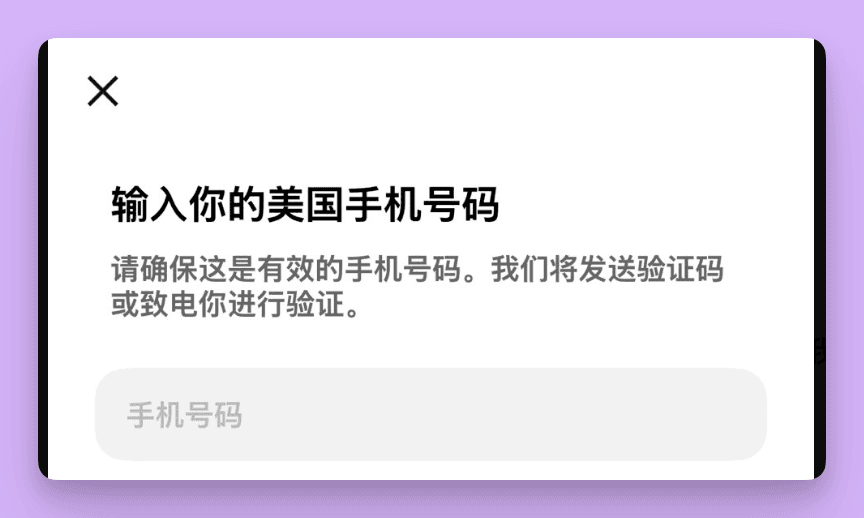
What most people need is simple:
- check_circleYou live in China and have no US number.
- check_circleYou only need it for verification codes: no calls, no mobile data.
- check_circleYou want low upkeep and a stable number, so codes still arrive when you log in on a new phone or recover the account later.
The two common workarounds both fall short:
- check_circleOne-time numbers from SMS code sites: the number is not yours and goes to someone else after use. Future login and recovery codes would reach a stranger. Never use one for an account that holds money.
- check_circleGoogle Voice and other virtual numbers: these are VoIP numbers that payment and finance platforms often reject, and they can be reclaimed if left unused.
The fix: a real US carrier SIM
Use a physical SIM from a US carrier. ENC Mobile runs on the T-Mobile network and gives you a real +1 carrier number, not a VoIP number. The number is yours, and you keep it as long as you renew on time. Turn on Wi-Fi Calling during activation and you can send and receive texts over Wi-Fi in China with no roaming charges.
- check_circleEnough for codes: the first-month plan includes 30 minutes, 100 texts and unlimited Wi-Fi calling.
- check_circleLow cost: renewals are topped up by LarkSIM support; the same plan costs ¥66–99 a month, depending on the tax in the number's state. Pick a ZIP code in a tax-free state during activation to save (step 3 below).
- check_circleRenew on time: the number is cancelled after 30 days without service.
- check_circleCheck your phone: it must be unlocked. iPhone 6S or later and some Android phones work; carrier-locked phones, phones using SIM adapter stickers and Huawei phones do not.
You can buy LarkSIM's US T-Mobile physical SIM (ENC) in China: it is in stock and ships within 24 hours. Once it arrives, activate it with the steps below.
Why buy this SIM from LarkSIM
Among the ways to get a US number, here are six reasons to pick this SIM:
- check_circleNo US trip needed: the physical SIM ships to China and you activate it yourself in about 5 minutes. Red Pocket must be bought and activated in the US, and a new Tello line must be used in the US before roaming works.
- check_circleA real carrier number: a +1 mobile number on T-Mobile, not a VoIP number or a shared number from an SMS-receiving site, so account recovery codes keep reaching you.
- check_circleLow upfront cost: $28 (about ¥199) including the first month's 30 minutes and 100 texts; PayGo SIMs on Chinese e-commerce start at ¥368.
- check_circleNo roaming fees for codes in China: texts arrive over Wi-Fi Calling whenever you are on Wi-Fi.
- check_circleRenew without an overseas card: email LarkSIM support before expiry and they top it up; the same plan costs ¥66–99 a month.
- check_circleTested before shipping: every SIM is checked before it is sent; ENC has Chinese-language support for activation, and LarkSIM support handles orders and renewals.
Order now: Buy the US T-Mobile physical SIM (ENC), $28 (about ¥199) including the first-month plan.
Activation: 4 key steps
Before you start, have the SIM (ICCID on the back), an email address you check, and an adult's date of birth ready. Then open the ENC activation page.
- 1
Enter the ICCID and verify
The ICCID is the 19-digit number on the back of the SIM. Leave out the trailing letter F, then tap Verify. If verification fails, check for typos or an extra F.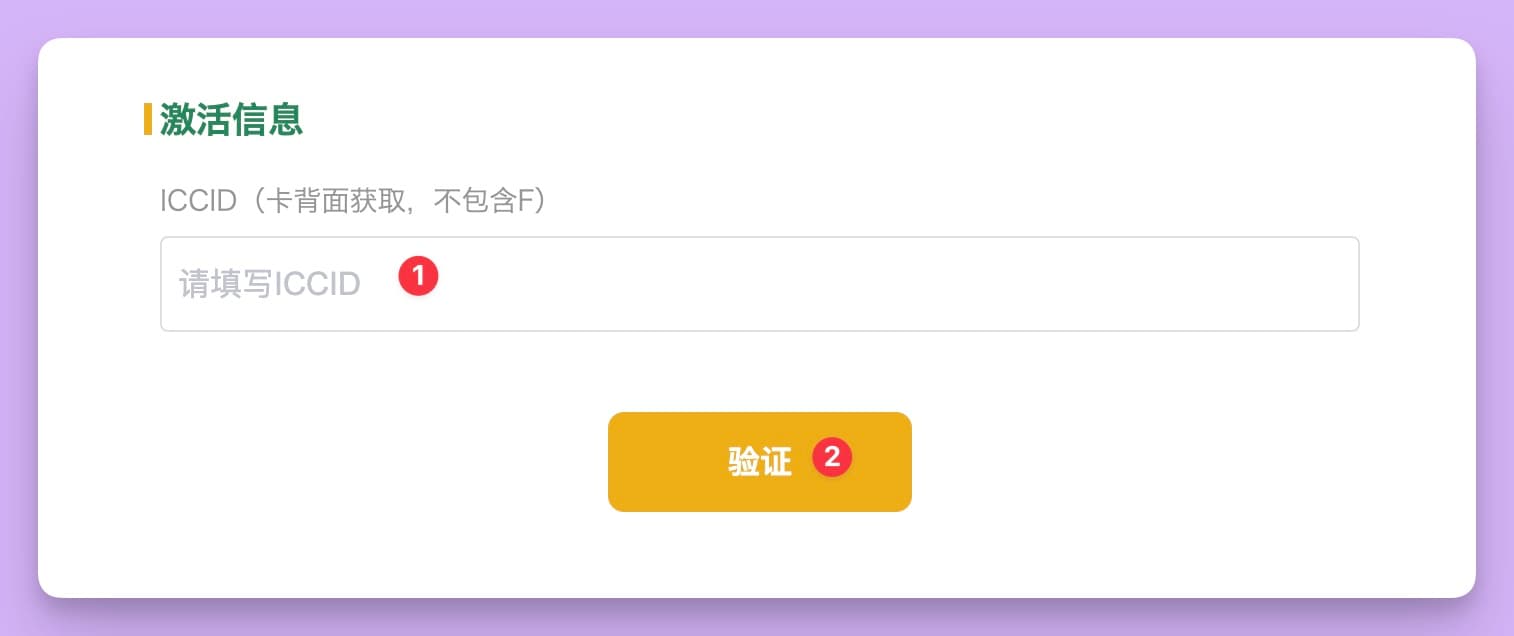
- 2
Choose a new US number
Most people have no US number yet, so pick the option to get a new US number. The system assigns one at random.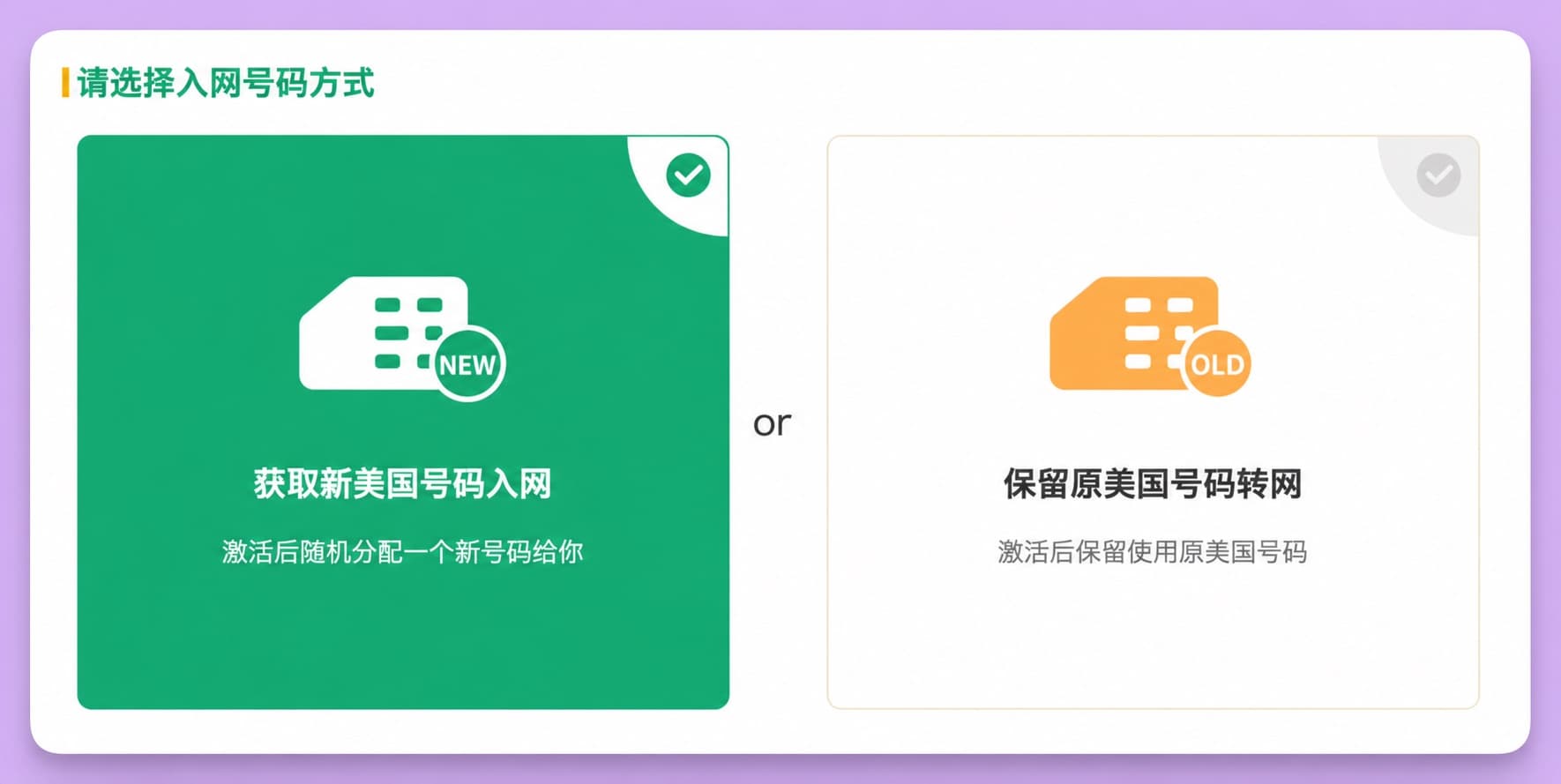
- 3
Fill in your details and use a tax-free ZIP code
Enter your name in pinyin. Use an email you check, because the activation notice goes there. Any adult date of birth works, and it cannot be changed later. The ZIP code for the number sets the tax, so a ZIP code in a tax-free state such as Oregon, Delaware, Montana or New Hampshire saves money. - 4
Tick Wi-Fi Call and confirm
Be sure to tick the free Wi-Fi Call option: it is what makes the SIM work in China. The state in the address must match the state of the ZIP code above, and the address must be real, or E911 verification may fail. After you confirm, activation usually takes effect within 5 minutes. Go by the notice email, and wait 24 hours before making other changes.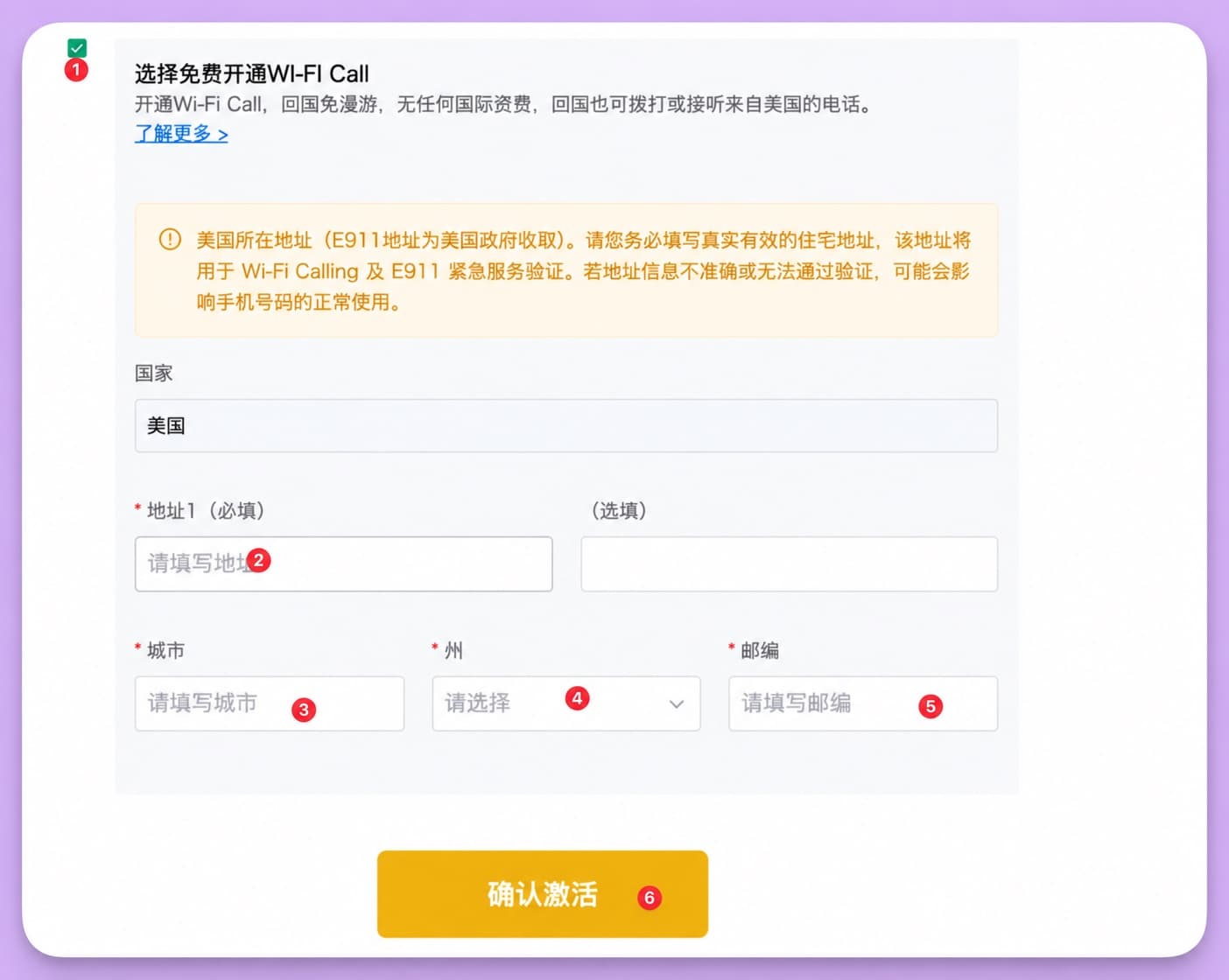
For all 7 steps with screenshots, including the plan screen and the account sign-up option, see the ENC Mobile activation guide.
After activation: turn on Wi-Fi Calling, then get the X Money code
- check_circleInsert the SIM: on a dual-SIM phone, use it as the secondary line and keep your Chinese SIM as primary.
- check_circleiPhone: connect to Wi-Fi, go to Settings → Cellular, tap the ENC line and turn on Wi-Fi Calling. When "Wi-Fi" appears after the carrier name in the status bar, it is working.
- check_circleAndroid: go to Settings → Mobile network (or SIM cards & networks), pick the ENC SIM and turn on Wi-Fi Calling. If you cannot find it, search Settings for "Wi-Fi Calling". Huawei phones may not support it.
- check_circleIf the phone setting does not work: log in to your ENC account, go to Services → WiFicalling → Activate for free, enter the 911 address and submit. It only counts once the status shows as active.
- check_circleTest before you use it: text the number from a Chinese phone (add +1 in front). Once the text arrives, go back to X Money and enter the number.
Keeping the number at low cost
- check_circleMonthly cost: the same monthly plan (30 minutes + 100 texts) costs ¥66–99 a month depending on the tax in the number's state, which is why a tax-free ZIP code is cheapest.
- check_circleRenewing: this SIM has no self-service top-ups. Before it expires, ask LarkSIM support to renew it: email support@larksim.com with your US number.
- check_circleDo not let it lapse: after 30 days without service the number is cancelled, and any account tied to it stops getting codes.
Still need a US number? Order now
If X Money is stuck at entering a US phone number, a US T-Mobile physical SIM shipped to China solves it: no US trip, activated in 5 minutes, codes over Wi-Fi, and a number that stays yours as long as you renew on time.
Buy the US T-Mobile physical SIM (ENC): $28 (about ¥199) including 30 minutes and 100 texts in the first month, with every SIM tested before shipping.
FAQ
Is this SIM guaranteed to get the X Money code?expand_more
What if texts or codes do not arrive?expand_more
How do I text the US number from a Chinese phone?expand_more
Can I return it if I change my mind?expand_more
Who do I contact about activation problems?expand_more
Real +1 number · T-Mobile network · Card checked before dispatch
US T-Mobile physical SIM (ENC)
A real US +1 mobile number, not VoIP, delivered as a physical SIM to your address in China. Check the current price, Wi-Fi Calling and keep-number notes on the product page before ordering.