Lost your giffgaff SIM? How to keep your number with a SIM swap
An unactivated giffgaff physical SIM can replace a lost or damaged physical SIM through SIM swap, provided you can sign in to the original account and receive verification codes at its registered email address. Your number, credit and current plan move to the replacement, and the old SIM stops working.
On this page
This guide was checked against giffgaff help pages on 14 September 2026. It describes physical-to-physical replacement and is based on documentation, not a completed live account test.
Check whether you have already reported the SIM lost
If only the physical SIM is missing or damaged, you can buy an unactivated replacement SIM and complete the original account’s email verification before following the self-service swap. Check the lost/stolen status first.
If your phone and SIM were stolen, or the old SIM may be in someone else's hands, use giffgaff's lost-device reporting service promptly. Protecting the account takes priority over using a spare card.
If you have already reported the original SIM as Lost/Stolen and entered the official replacement process, use the replacement SIM sent for that account. giffgaff's activation help says that only this designated replacement can be activated on the original account in that situation. Ask an agent before attempting to use a separately purchased unactivated card.
If the account is eligible for an ordinary swap, prepare an unactivated giffgaff physical SIM and access to the original account's registered email. Do not activate the spare on a separate account first.
The card needed here is a giffgaff physical SIM. Do not confuse it with a programmable carrier card used to store an eSIM profile.
Complete the physical SIM swap
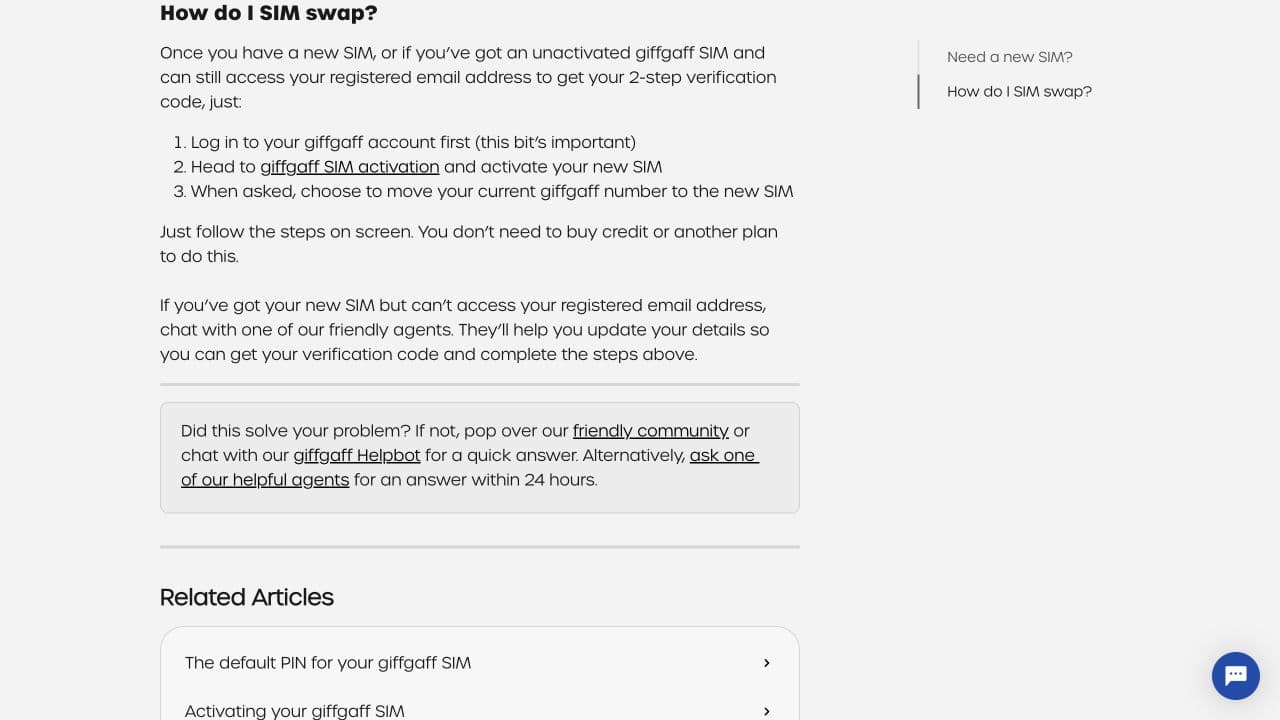
1. Sign in to the account that owns the number you want to keep at giffgaff website. Check the displayed number before continuing.
2. Open the SIM card area and follow Replace my SIM to Activate your SIM. Alternatively, visit giffgaff website after signing in to the original account. Stay in the physical replacement flow.
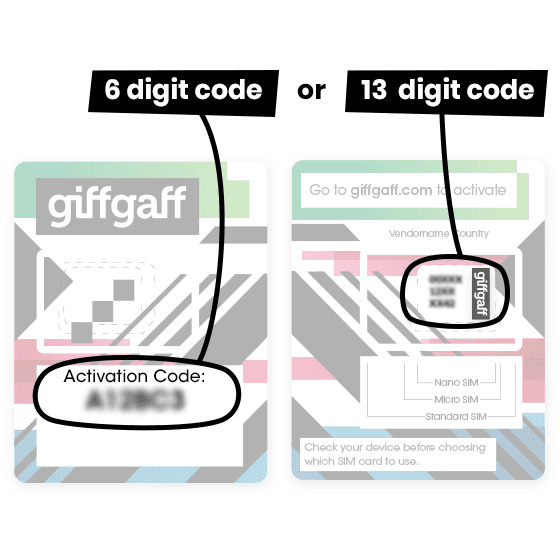
3. Enter the activation code supplied with the new SIM. This is not a top-up voucher code. If the activation code is missing, follow the activation page's instructions for using the SIM serial number printed on the card.
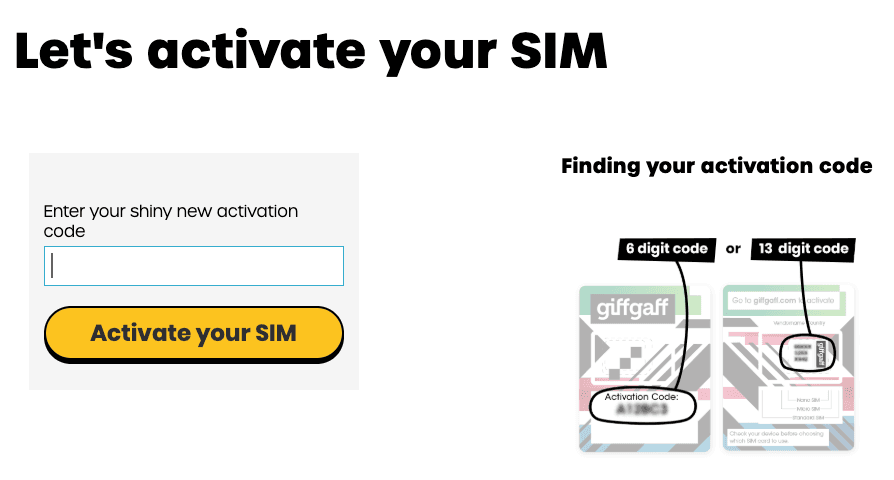
4. Complete the requested verification, using the registered email where prompted. Review the replacement SIM details and the instruction to keep your existing number before confirming. Older guides show two confirmation buttons, but wording and verification order can change.
5. Allow the swap to process, insert the replacement SIM and restart the phone if needed. Your old SIM stops working during the change. A swap does not require buying additional credit or another plan; stop and check the flow if asked to pay to activate a new number.
Timing and use abroad
Swaps are available from 4.30am to 9.30pm UK local time. They usually take around 30 minutes, but allow up to 24 hours. For readers in China, the UK summer-time window corresponds to 11.30am to 4.30am the following day in Beijing; in UK winter time it is 12.30pm to 5.30am the following day.
giffgaff permits physical SIM swaps abroad but advises waiting until you can connect to a UK network. Do not assume immediate service in China after submitting a swap. Its current lost-SIM guidance also says switching to eSIM abroad is unavailable. Check the delivery arrangements and address for an official lost/stolen replacement instead of assuming it will be sent overseas.
Verify the result
Check that the original account still shows the correct number, credit and plan. Test reception of an ordinary text on the replacement SIM, and test calls if required, taking local roaming charges into account. A submitted request alone is not proof that service is working.
If the swap has not completed after 24 hours, or account verification fails, contact giffgaff website. Explain whether the SIM was reported lost, your current country and when the request was submitted. Include a redacted error screenshot, never a password or verification code.
Real UK +44 number · Ships from China · Chinese setup guides
giffgaff UK physical SIM
Register and manage a real UK mobile number yourself, shipped from local stock in China. The self-service SIM suits people who already have a way to top up; the worry-free SIM includes an official £10 top-up voucher.