giffgaff activation failing with a China Merchants Bank card?
New users have reported repeated giffgaff activation errors when paying with a Mastercard issued by China Merchants Bank. Some have waited more than 24 hours and still see the same error, leaving them wondering whether a £10 top-up voucher is required.
On this page
What is known about these activation failures
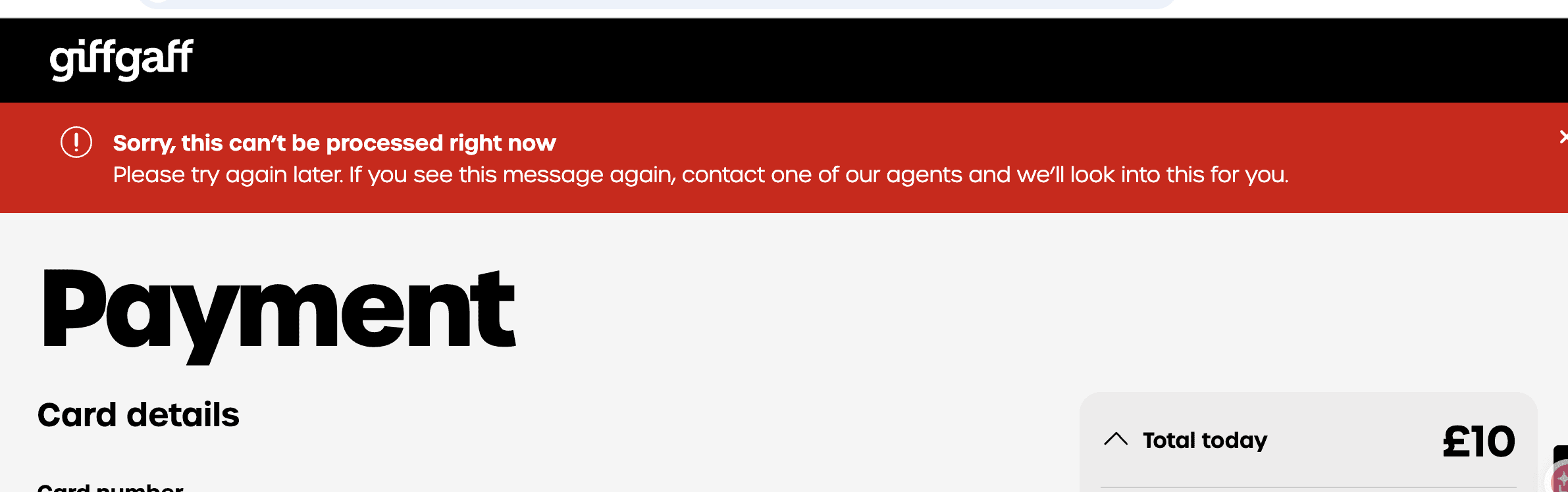
I checked giffgaff’s activation and payment help pages and found no announcement specifically ending support for China Merchants Bank cards. The official activation process still offers card and voucher payment.
The confirmed point is that some users have experienced failures. Identifying which party rejected a transaction requires checking that payment. A generic error alone does not establish that every card issued by China Merchants Bank is unsupported.
One unverified hypothesis is that bank chargebacks involving some transactions led to tighter payment screening. A chargeback or payment dispute raised through the bank differs from requesting a normal refund from giffgaff. The official account restriction guidance says reversed or disputed transactions may lead to the related account’s services being disabled.
That guidance concerns restrictions on affected accounts; it does not announce a blanket restriction on China Merchants Bank cards. There is also no reliable evidence here that Chinese users have initiated large numbers of chargebacks with these cards. Treat this as a question to investigate with support, not an established explanation for the activation failures.
When contacting support, ask whether the restriction affects your account, one card or a wider group of cards, and whether previous payment disputes are involved.
Here are the available ways to investigate or try another payment method.
Option 1. Ask giffgaff why the payment failed
Sign in and follow Ask a giffgaff agent at the bottom of the official payment help page. For a specific account or transaction, an official agent is better placed to investigate than a general community discussion.
Explain that the Mastercard was issued by China Merchants Bank in China. State which activation step failed and provide the transaction time and amount. Attach a screenshot with sensitive details hidden and say whether your bank shows a charge.
Adapt the following message to your situation before submitting it.
Ask support to confirm whether your card is supported and investigate the actual transaction, rather than assuming that the issuer is excluded. If giffgaff says the bank declined the payment, give the bank the transaction time and amount so it can check. A declined payment is one of the possibilities listed in giffgaff’s payment help.
Option 2. Try an overseas-issued card
If the original payment has definitely failed and you already have an overseas-issued card, such as a Mercury business debit card or an Airwallex corporate card, you can check whether it is suitable for another attempt. Check international online payment support, enter accurate billing details and complete any required verification. Corporate cards must be used within their account and spending rules.
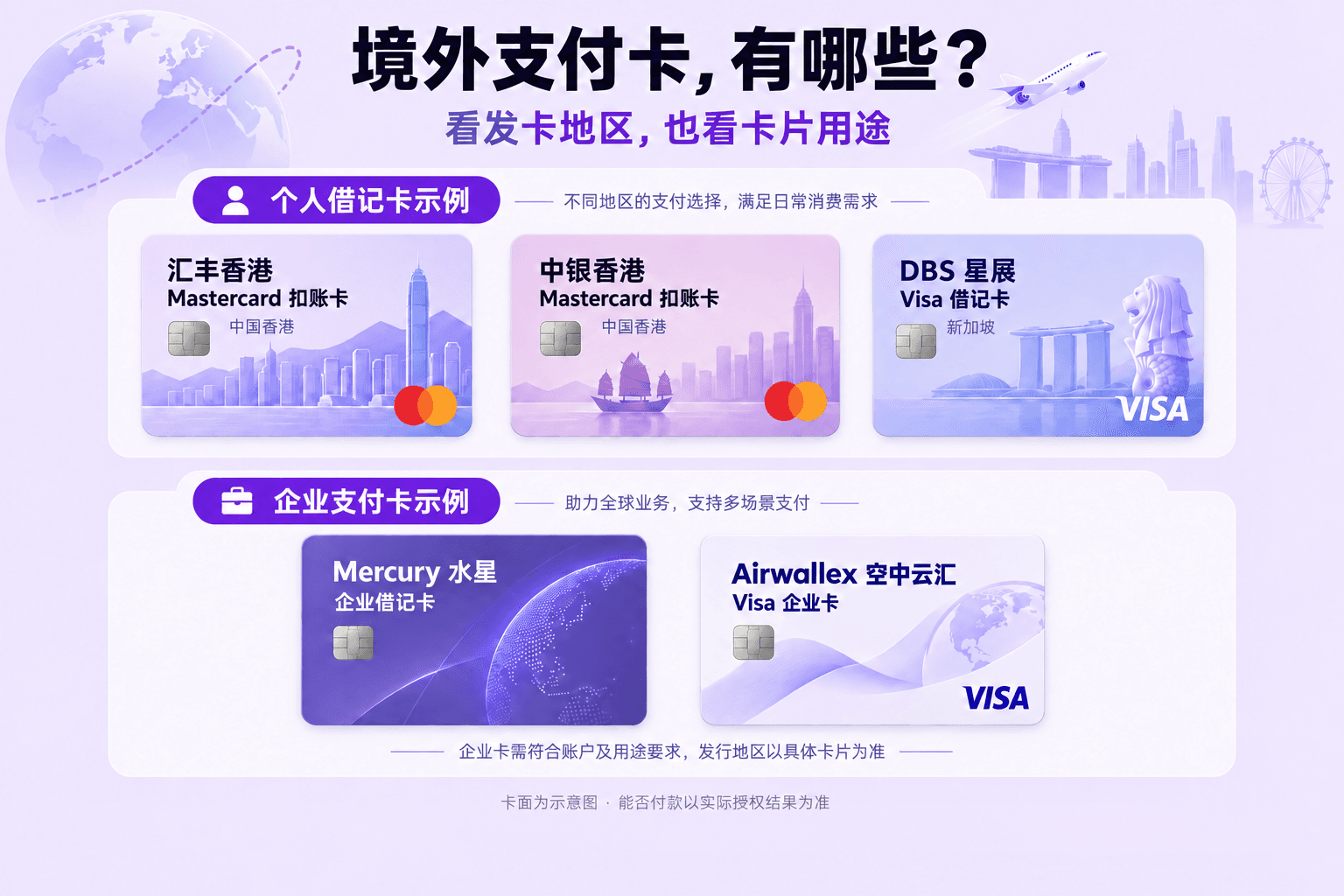
An overseas-issued card still needs payment authorisation. giffgaff notes that even a UK card used abroad may be declined by the bank for security reasons. Trying another card is an option, not a guarantee of activation. Official payment troubleshooting
If you do not have an overseas-issued card, check whether a voucher fits your activation route before rushing to apply for a new card.
Option 3. Use an officially accepted top-up voucher
The official giffgaff activation page supports voucher payment. Choose Voucher at the payment step, enter the 16-digit top-up code and follow the remaining instructions.
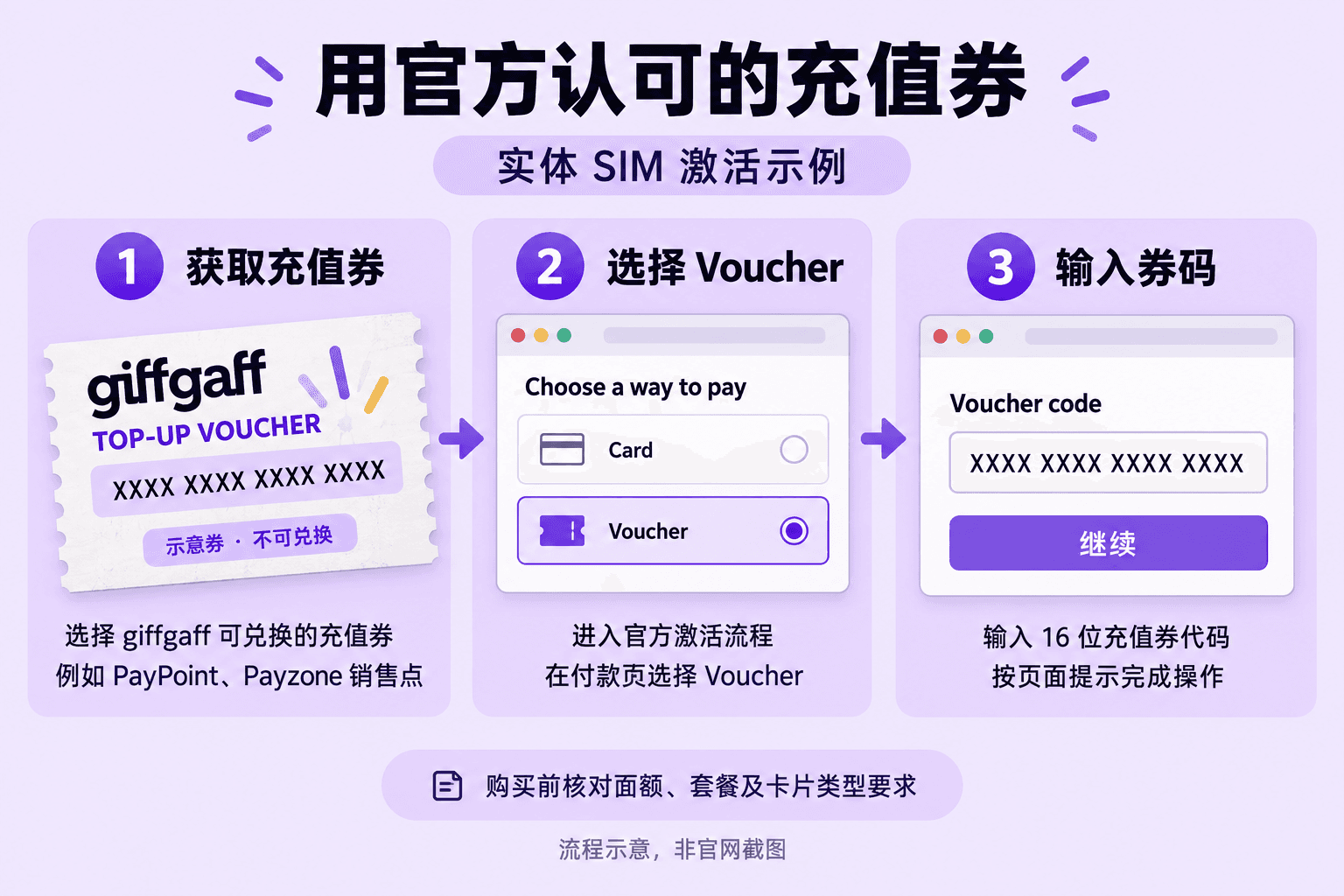
Use a top-up voucher that giffgaff accepts. A promotional code or reseller discount coupon is not a substitute. giffgaff lists outlets carrying PayPoint and Payzone branding among its voucher channels. Before buying, check the purpose and denomination; the amount must cover the option you select.
A £10 voucher is not a universal solution. New members paying for the first month of a monthly rolling plan with a voucher must also set up recurring payment. Check whether your selected option still requires a saved payment method before buying a voucher to address a card payment problem.
Check your SIM type too. The terms restrict voucher use for new-member direct eSIM activation, with a SIM-swap exception. Do not assume that a physical-SIM voucher flow applies to a new eSIM; ask support before buying. giffgaff terms
After a successful payment, check the activation status. giffgaff says activation can take up to 24 hours; once ready, the phone number appears in the dashboard or app. If activation remains incomplete beyond that, update the same support case with payment evidence and the current status. Official activation help
An error at checkout without a success confirmation does not prove that activation has entered the 24-hour processing period. Check the current transaction before paying with another card or voucher.
Why consider a giffgaff SIM?
Online activation. Follow the official process to submit account and payment information for your giffgaff SIM. Additional verification may still be requested during security checks.
Pay for what you use. With airtime credit and no recurring plan, there is no fixed monthly plan fee. Keeping your number and balance still requires compliance with the operator’s activity rules.
Low-cost number retention. At the current China roaming rate of £0.30 per outgoing text, sending one qualifying paid text every 180 days with no other spending makes £10 mathematically sufficient for around 15 years. This calculation assumes unchanged prices and rules; it is not an operator guarantee. Leave a timing buffer and follow the rates and terms in force when you use the service.