Grok bot asks for an overseas SMS code? Getting a UK number in 2026
Grok bot registration can stop at an overseas phone verification screen, even when everything else is ready.
On this page
Why use a number of your own?
The sign-up page may show a country-code selector, phone number field and Send code button.
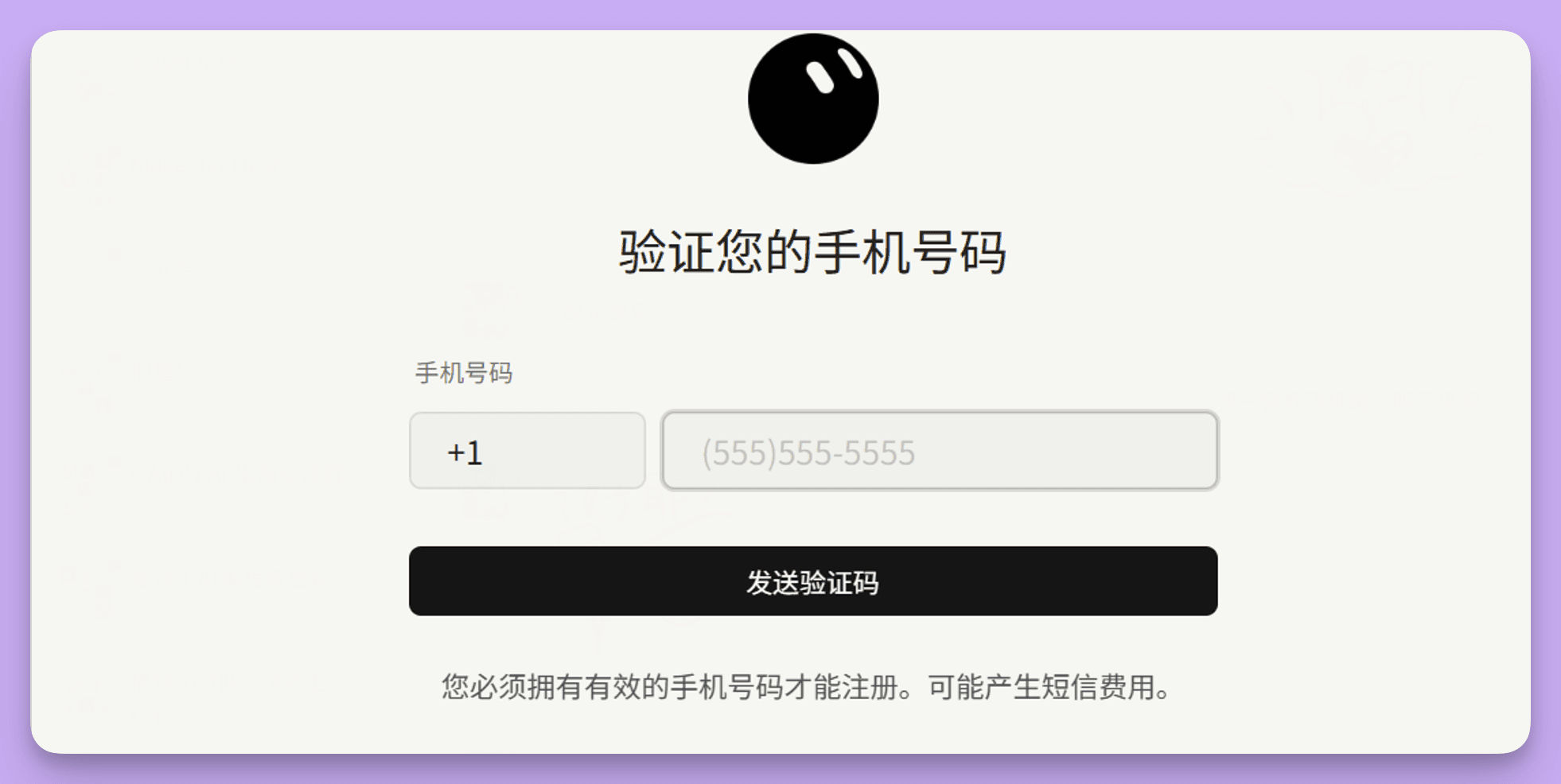
A temporary SMS service can get you through one attempt, but the number may be gone when you need to sign in again. Borrowing a friend's number creates the same recurring problem.
A SIM you control is a more durable option. You may come across Ultra Mobile PayGo, Tello and giffgaff, with different prices and requirements. This article follows the giffgaff route shown in the screenshots.
In China, receiving ordinary SMS on giffgaff is free. Sending a text from China currently costs £0.30. Keep the number active with a qualifying activity at least once every six months, and check the account rather than assuming the number will remain active indefinitely.
- check_circleChoose a SIM or voucher
- check_circlePrepare the activation details and follow the screens
- check_circleConfigure the phone before roaming
- check_circleAdd credit when needed
- check_circleKeep the number active
- check_circleTroubleshoot signal, verification, number changes and eSIM
1. Choose the card or voucher
The LarkSIM product page lists the options used in this article.
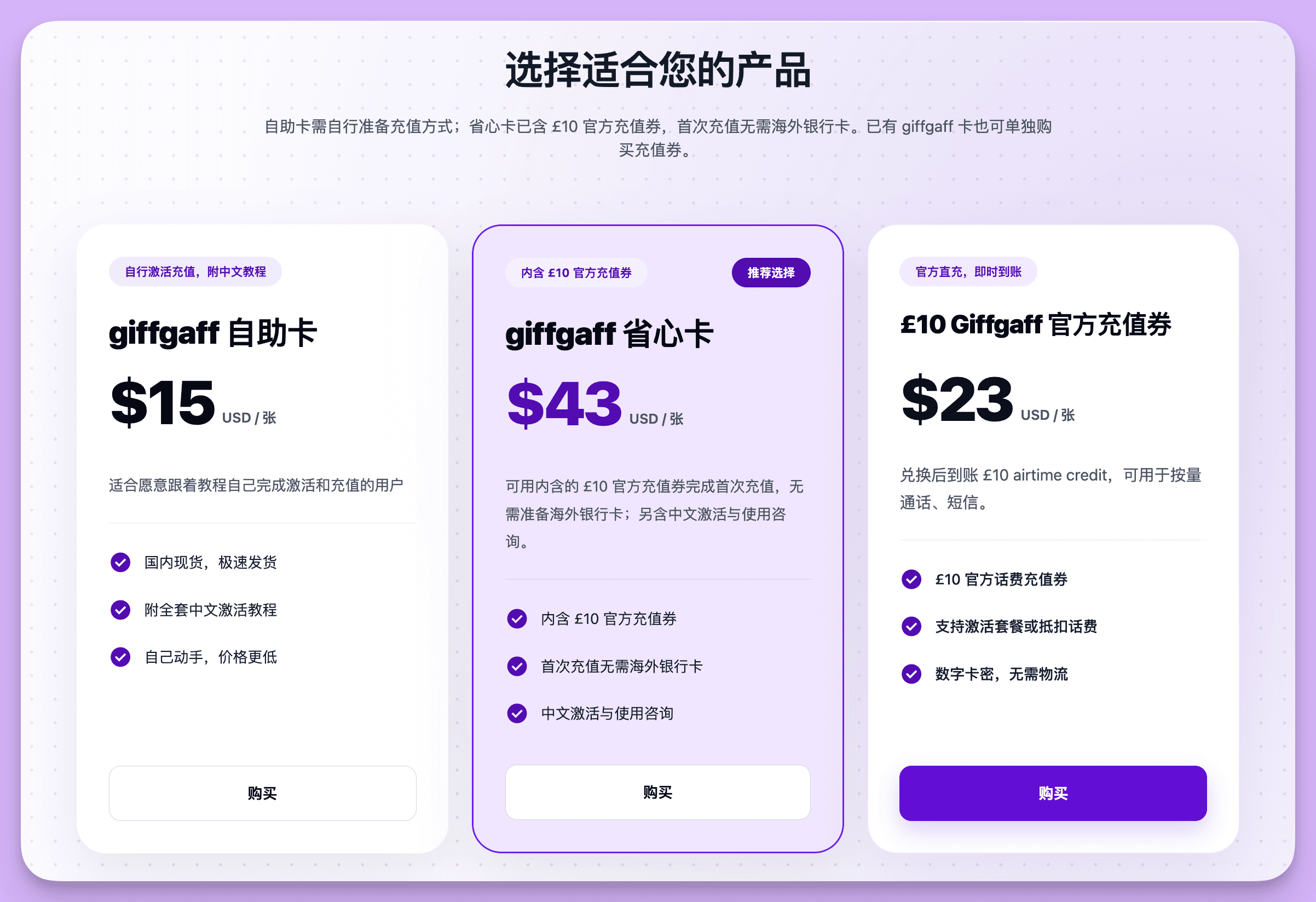
giffgaff self-activation SIM suits someone who can activate and top up with a supported payment method.
giffgaff SIM with £10 voucher includes an official top-up voucher for people who prefer not to rely on an overseas bank card.
£10 giffgaff top-up voucher is an electronic code for someone who already has a giffgaff SIM and needs credit.
2. Prepare and activate the SIM
The screenshots below follow the physical SIM and voucher path. Have the six-character activation code from the SIM card, an email address you will keep, and the 16-digit voucher code if your order includes one.

Use an email address you can access later for sign-in, recovery and inactivity reminders.
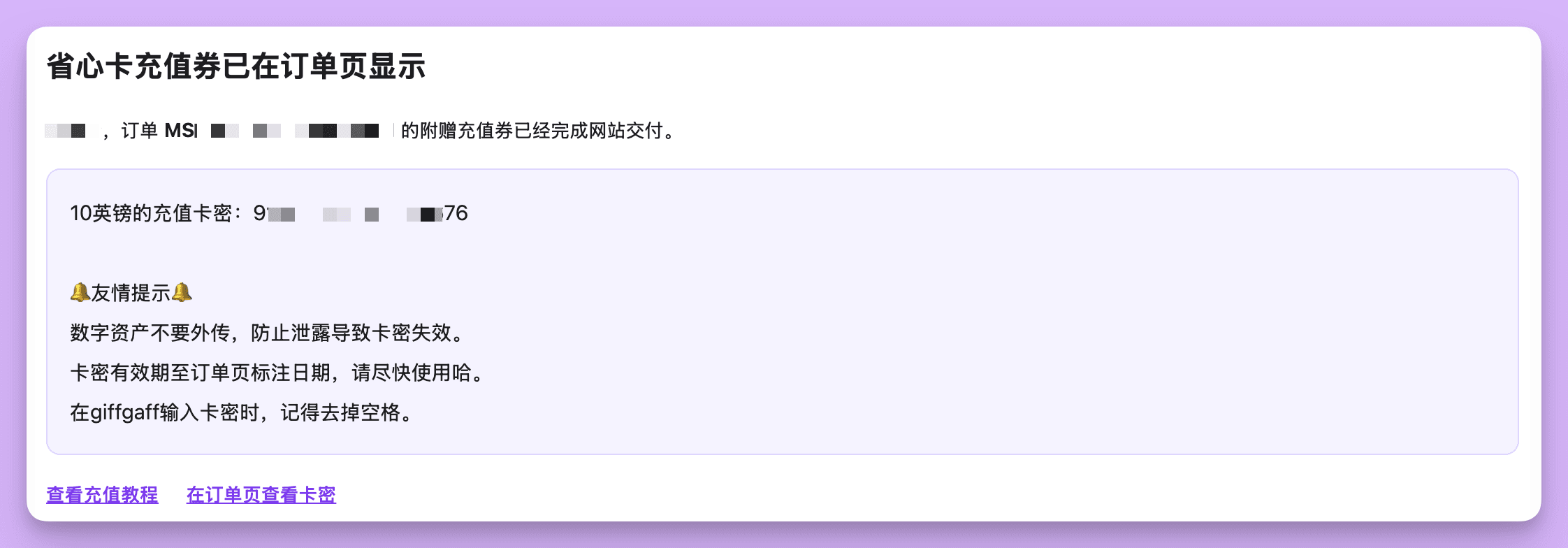
If the activation page gets stuck in an old session, open a private browser window and try again.
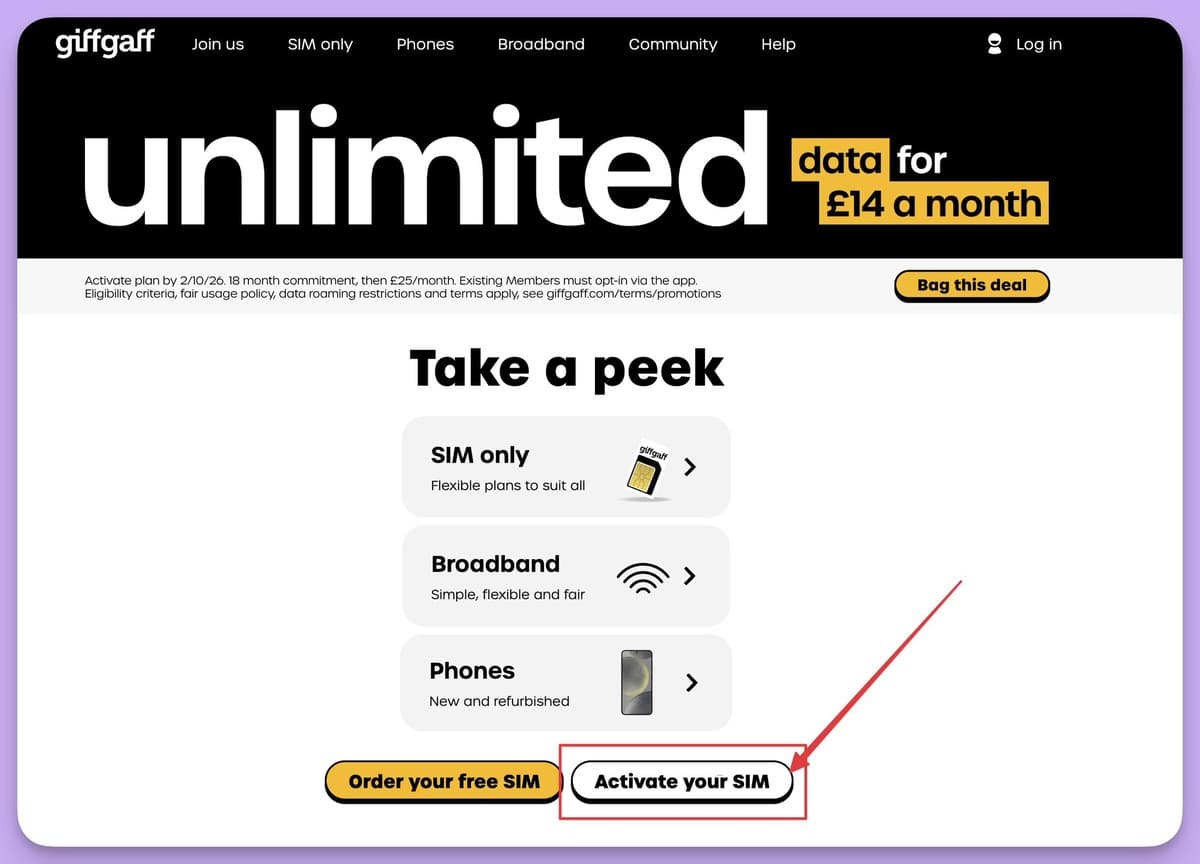
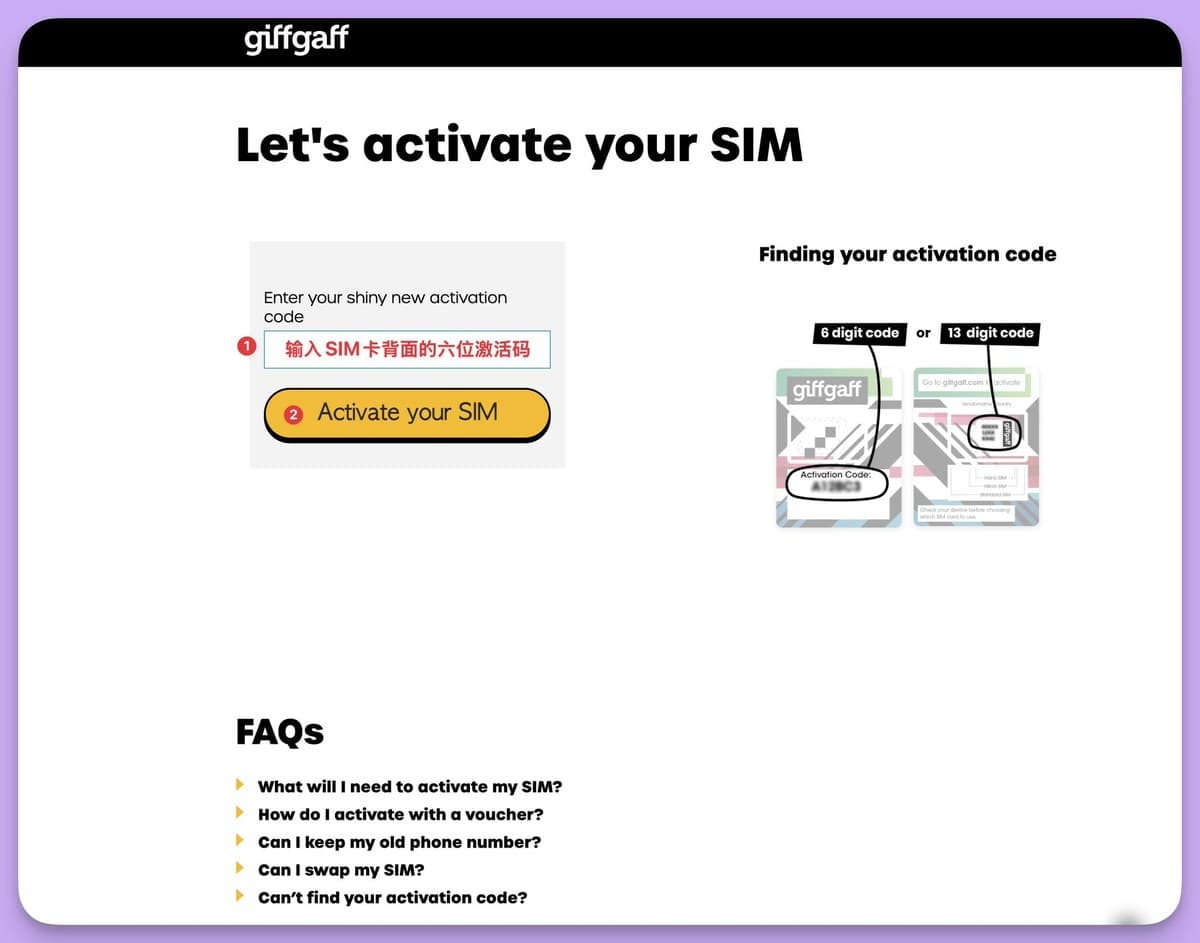
First, open the giffgaff activation page and choose Activate your SIM.
Enter the activation code printed on the card, then continue.
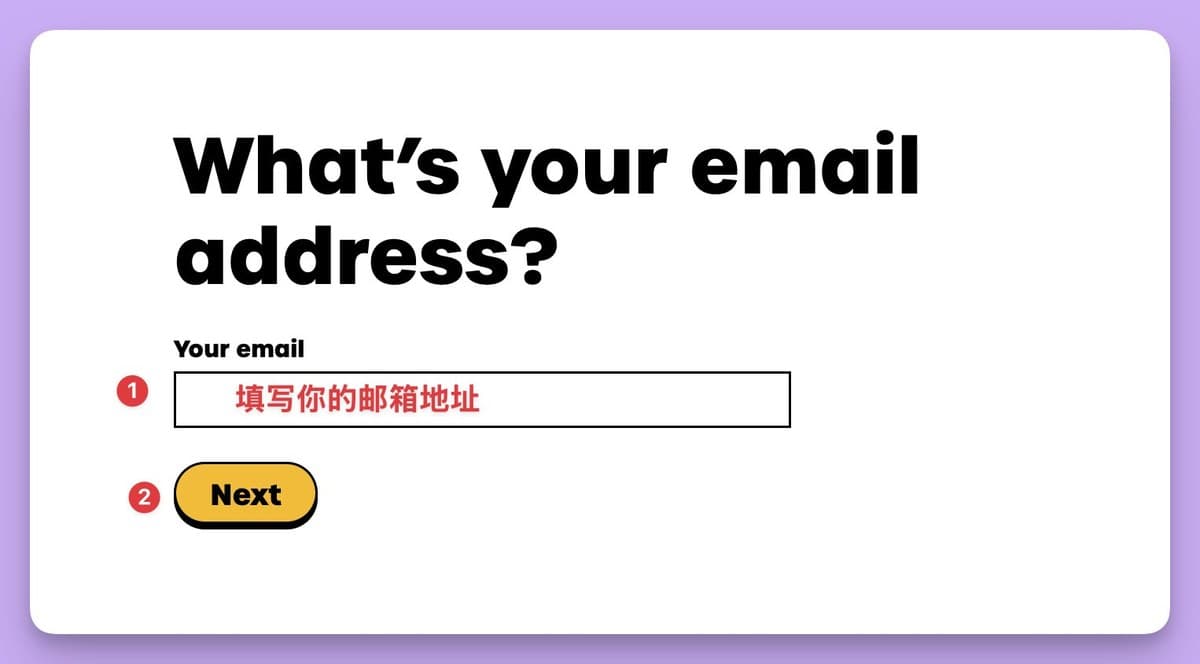
Enter your regular email address. Giffgaff will send a confirmation code to it.
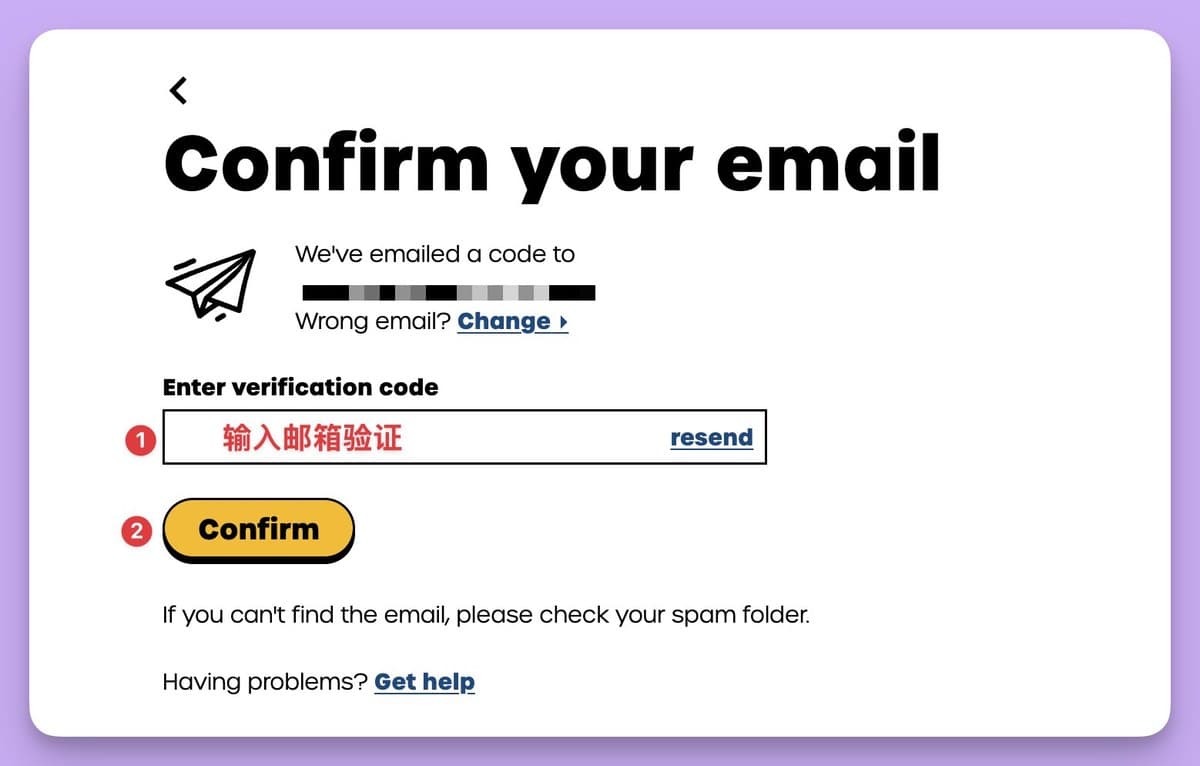
If the email does not arrive, check spam and promotions, use Resend, or correct the address with Wrong email? Change.
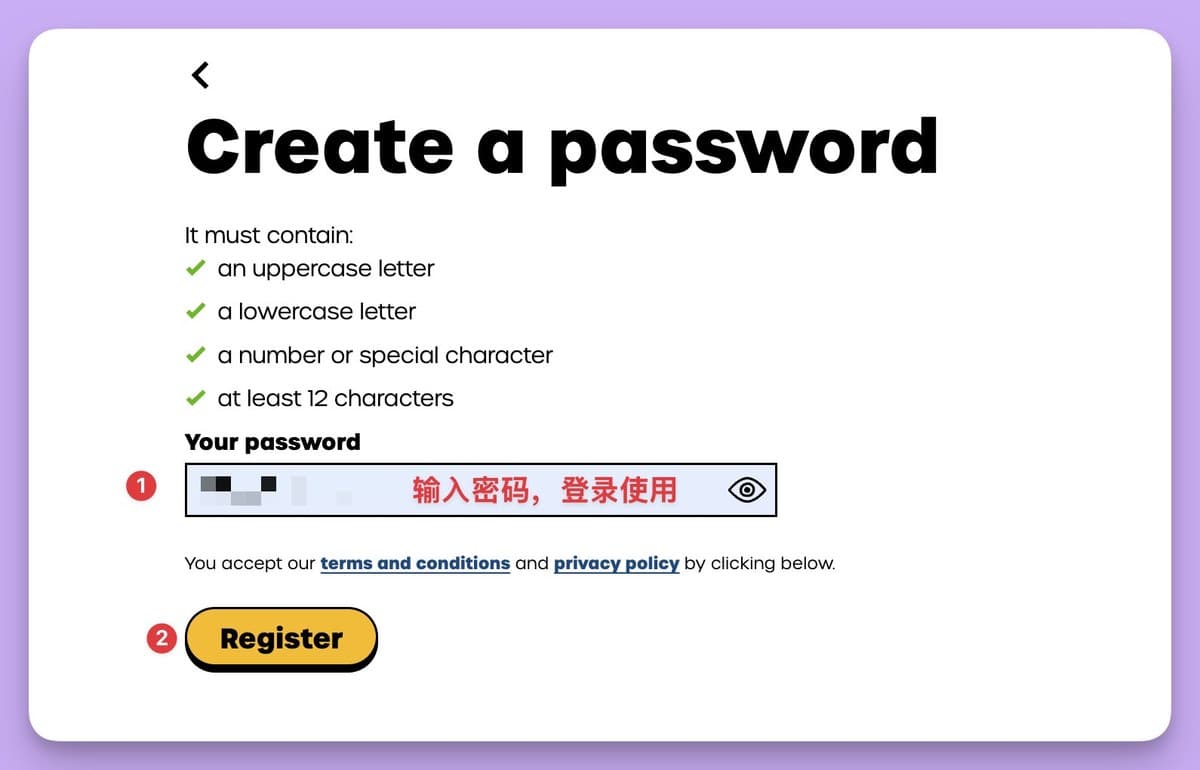
Create a password that meets all four on-screen requirements. Save it securely because you will need it for the website and app.
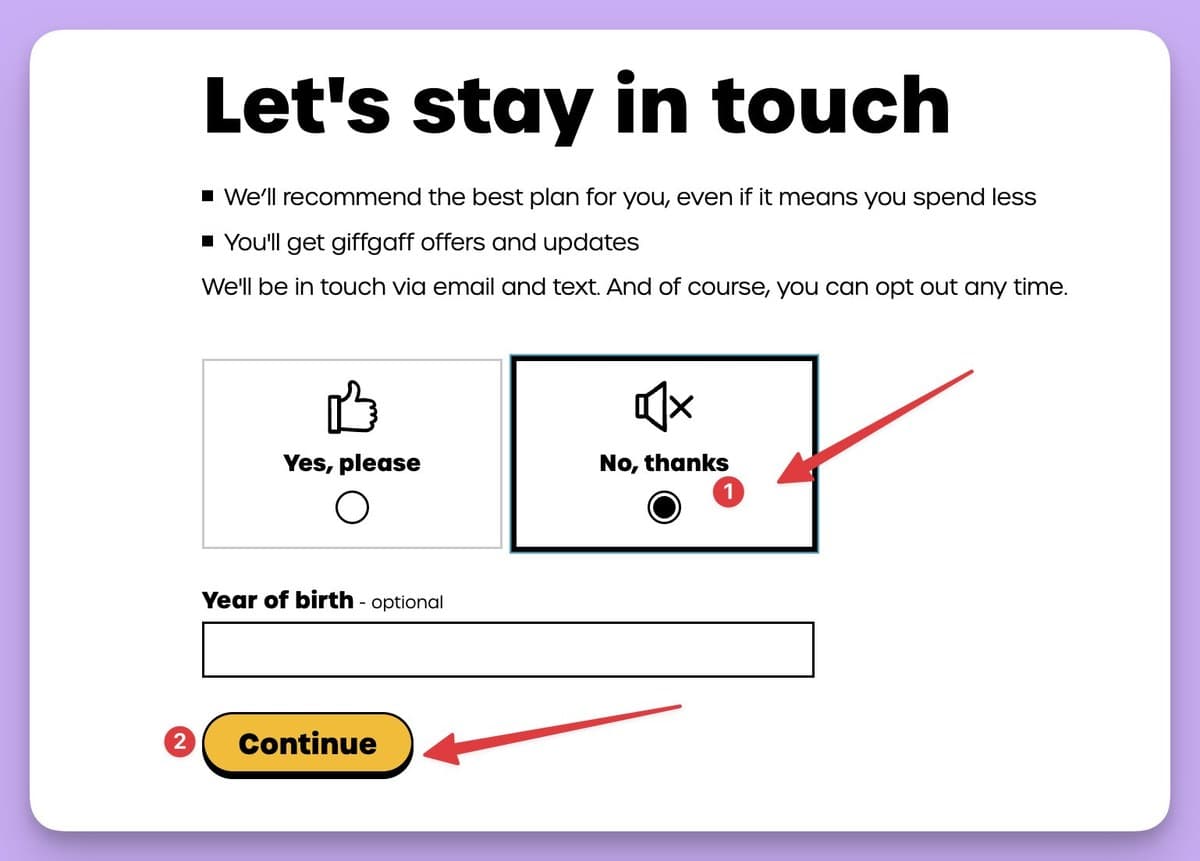
The marketing preference and optional birth-year step comes next. Choose your preference and continue; it does not decide whether you receive the credit shown elsewhere.
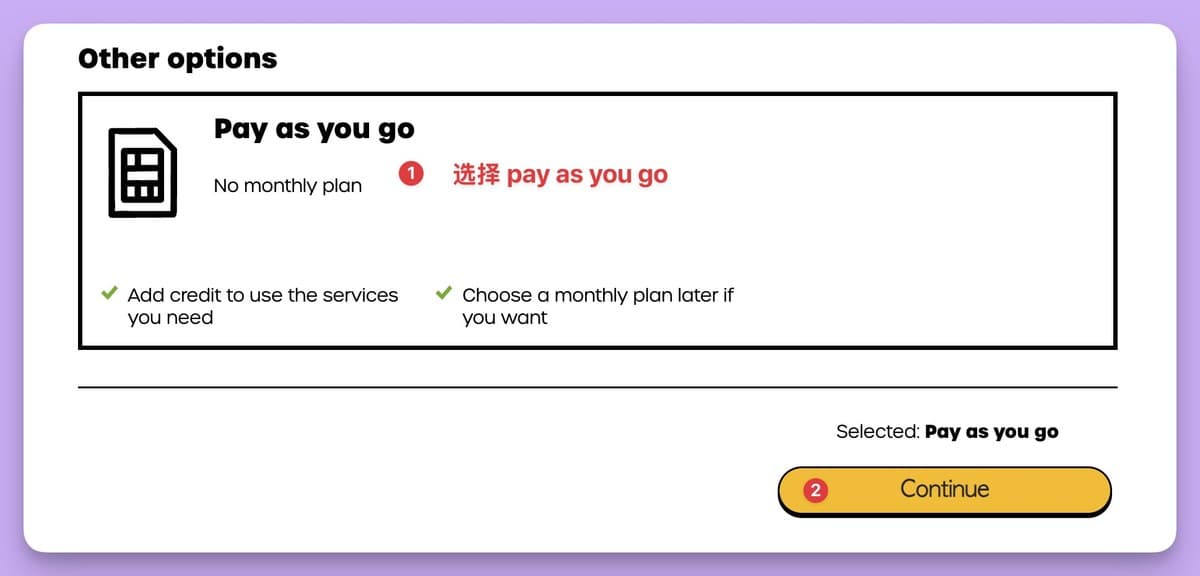
On the plan screen, a physical-SIM user intending to use pay-as-you-go credit can scroll to Pay as you go instead of selecting a monthly plan. New eSIM activation has a different plan requirement, covered below.
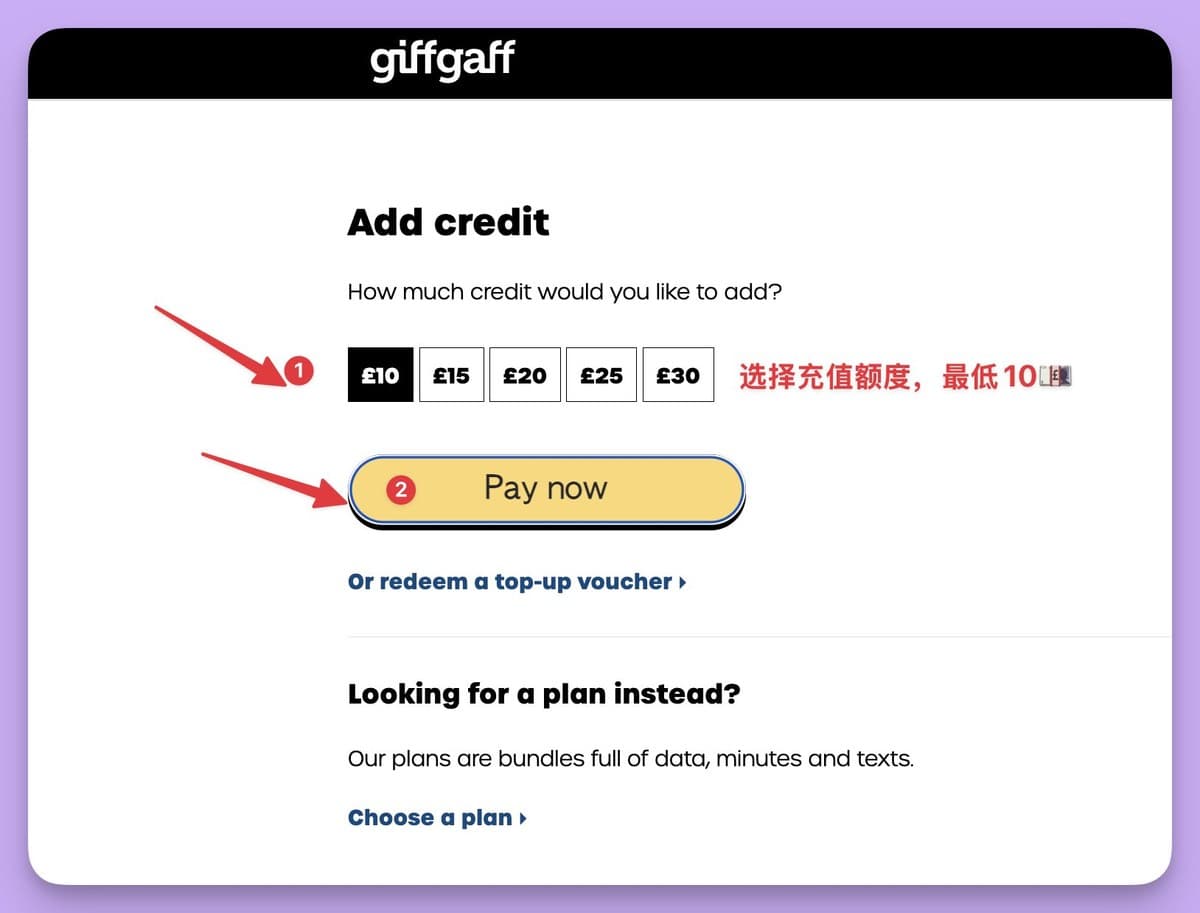
For the physical SIM flow shown here, add £10 credit. The official minimum credit top-up is £10. Choose direct card payment or redeem the voucher supplied with your order.
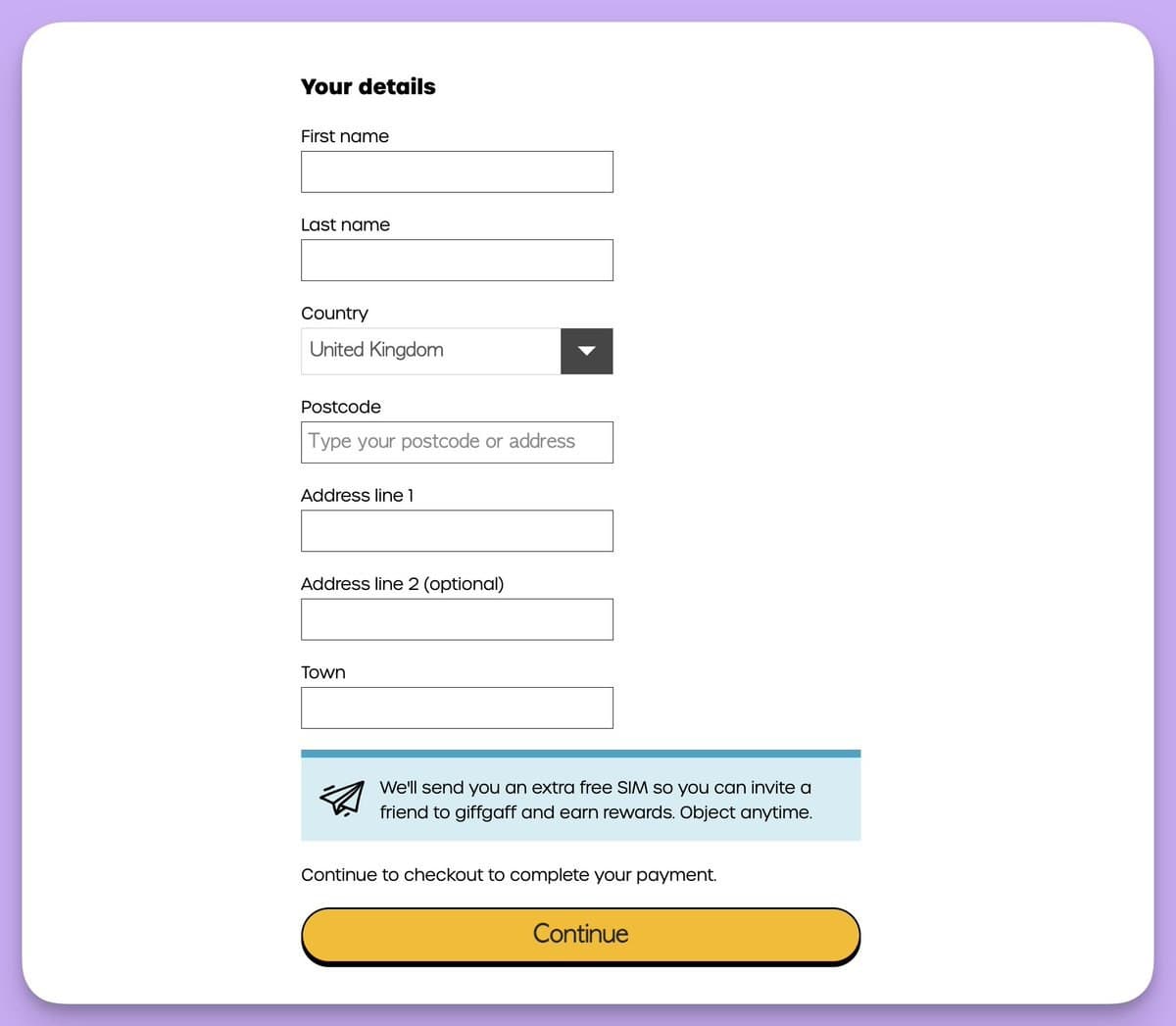
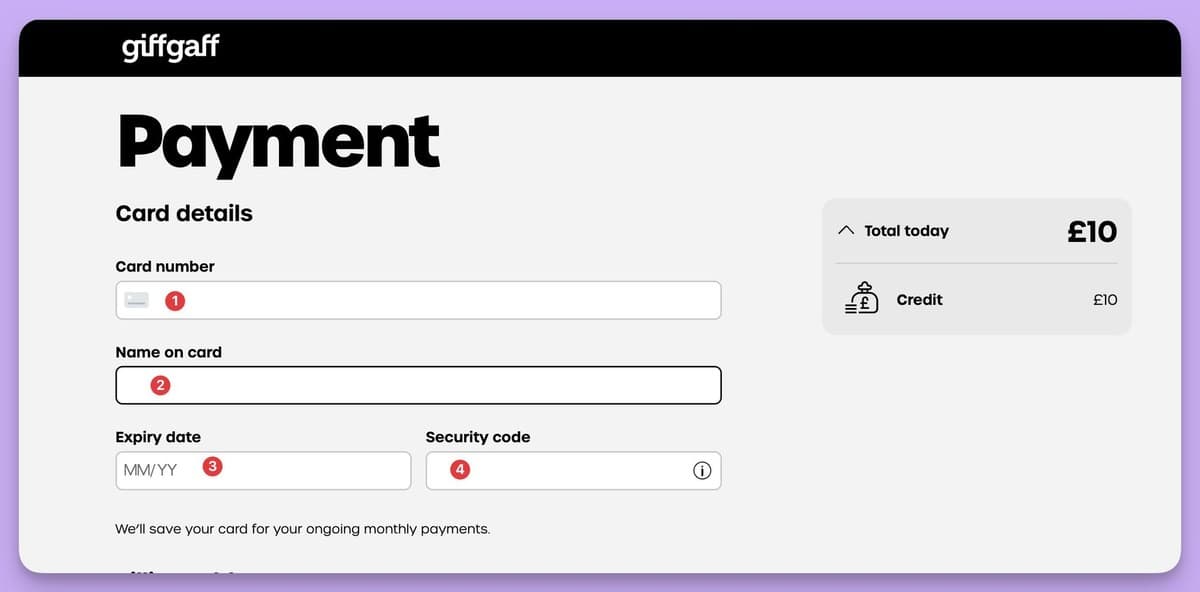
For card payment, enter your real name and accurate billing details, then provide card information on the payment page. Whether a card is accepted depends on the issuer and payment checks.
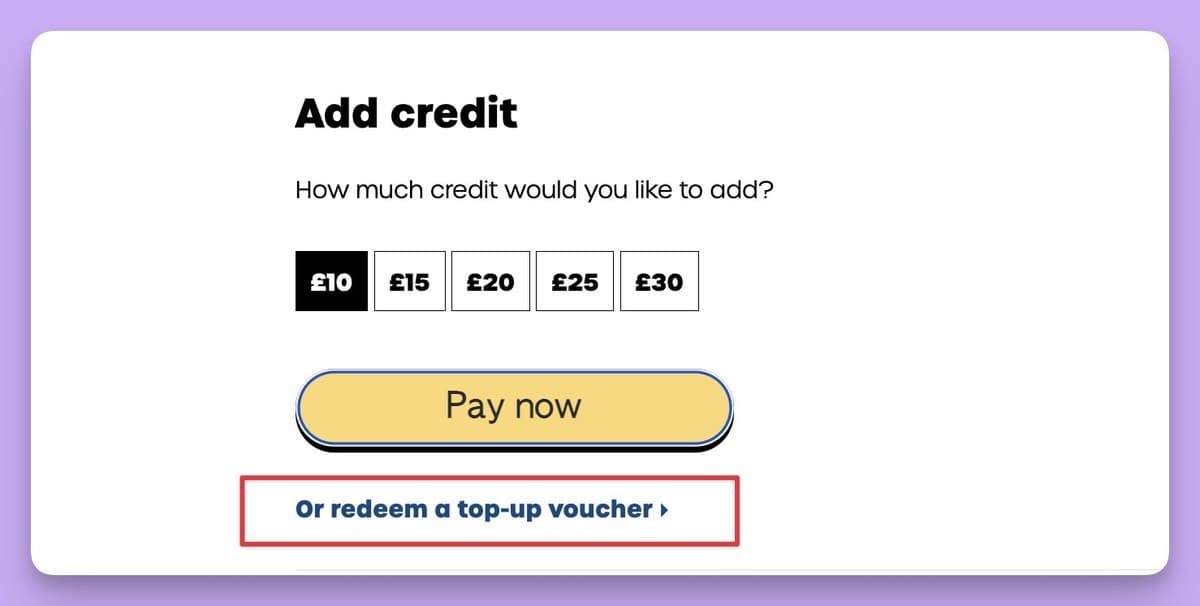
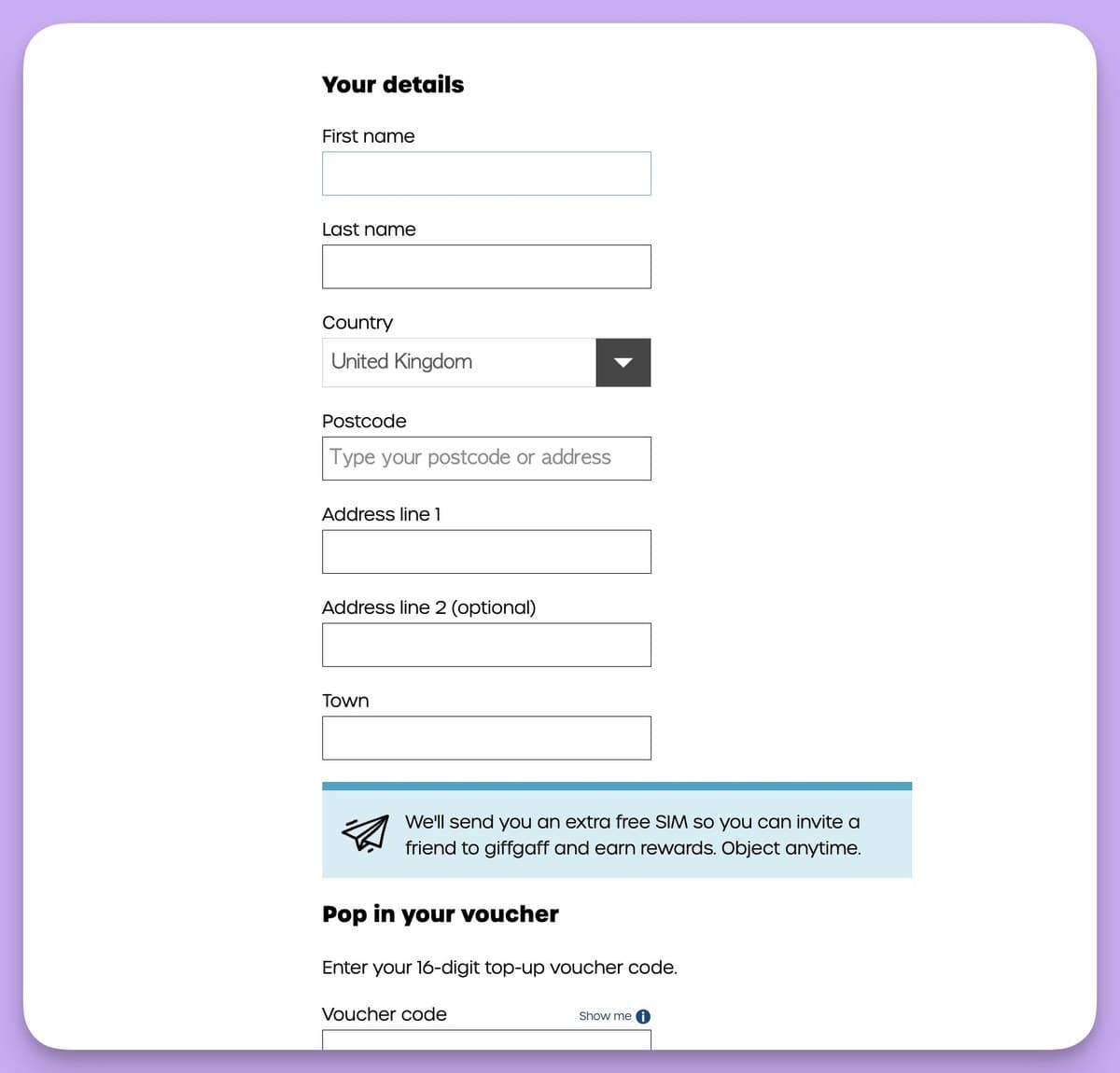
For a voucher, select Or redeem a top-up voucher, enter accurate account details, then enter the 16-digit voucher code and confirm.
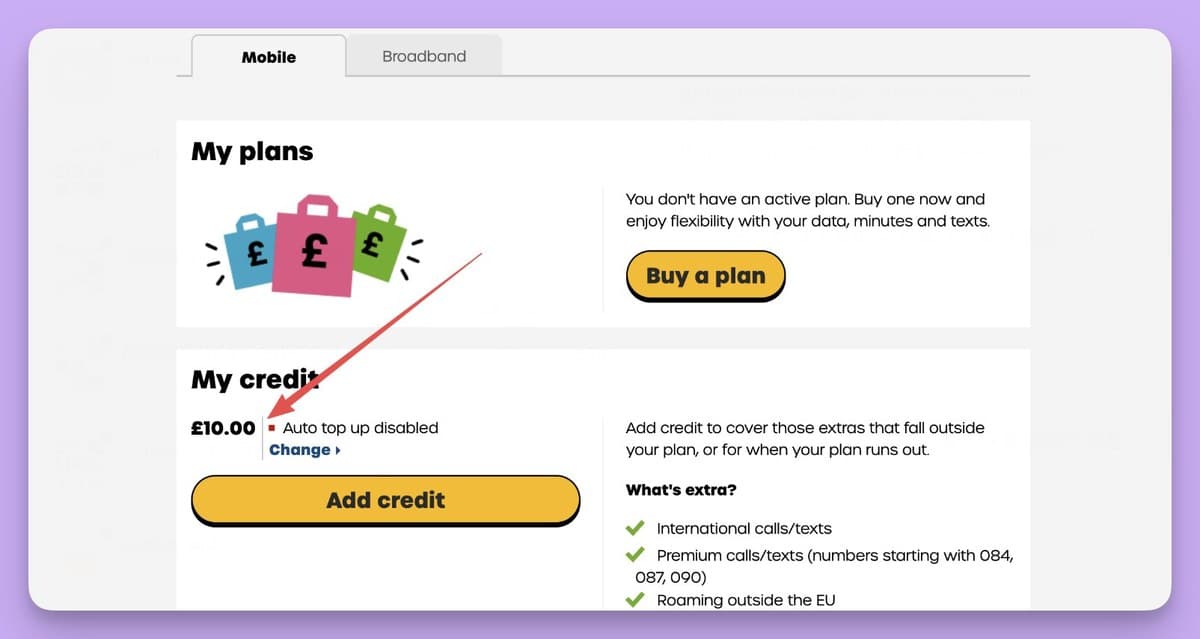
After successful activation, the account page displays the new UK number and credit balance. Save the number.
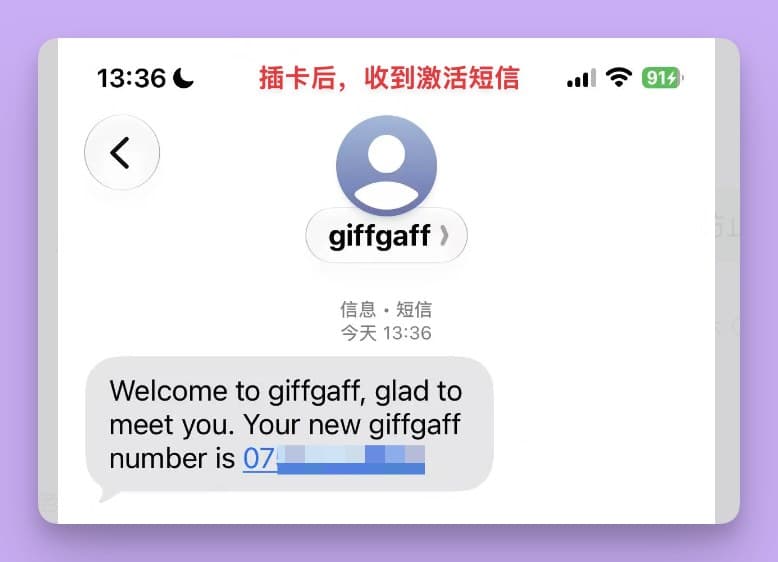
Insert the SIM and allow a few minutes for roaming registration. A welcome text may show the UK number in its domestic 07 format; use +44 when another service asks for an international number.
3. Prevent unexpected roaming charges
Before inserting the SIM in China, connect to Wi-Fi and set your domestic SIM as the default mobile-data line. Turn off automatic cellular-data switching where the phone offers it.
On iPhone, check Settings → Cellular → Cellular Data. On Android, check the default mobile-data SIM in the mobile network settings. Review iMessage, FaceTime, RCS and device-finding features, which can send activation texts when a new number is detected.
Once the giffgaff line appears, switch off data roaming for that line. Data in China currently costs £0.20 per MB, so even background traffic can add up. Check voicemail settings as well; the original article recommends disabling voicemail by dialing ##002# if you do not need it.
Finally, confirm that your domestic line still handles normal data. This gives you a controlled way to receive SMS and send only the occasional text you intend to pay for.
4. Add credit later if needed
You can add credit on the giffgaff website with a supported payment card or buy the £10 giffgaff top-up voucher and redeem its code.
Giffgaff currently sets the minimum credit top-up at £10, with higher amounts in £5 increments up to £30. Credit can last a long time with low usage, but monitor the balance and current prices before relying on it.
5. Keep the number active
Giffgaff can deactivate a number after six months without qualifying activity. Examples include a chargeable outgoing call or text, mobile data use, or buying credit or a plan. Receiving a free SMS alone is not a substitute for qualifying activity.
A low-use approach is to send one paid text from China well before each six-month deadline. At the current £0.30 sending rate, two such texts would cost £0.60 in a year, assuming rates and the account's activity rules remain unchanged.
Giffgaff says it normally emails a reminder about one month before deactivation and again around five days before. Keep your registered email current and confirm activity in the account rather than relying only on the reminder.
6. Common questions
No signal after inserting the SIM? Give roaming registration a few minutes. If necessary, try manual network selection, usually China Mobile or China Unicom, then check the phone's roaming settings.
A particular service will not send a verification code? First test whether the SIM receives an ordinary account text. If it does, the issue may be that service's own number or risk rules. A giffgaff number does not guarantee that every platform will accept it.
Can I change the number? Giffgaff offers up to two number changes on an account. Use its number-change page and remove the old number from two-factor authentication before starting. The service may be unavailable for up to four hours while the change completes.
Does giffgaff support eSIM? Yes. A new customer can activate eSIM directly in the official app on an unlocked compatible phone, without first obtaining a physical SIM. A new eSIM activation requires buying a plan; an existing physical-SIM customer can switch in Account → SIM → Replace my SIM → Switch to a new eSIM. Giffgaff lists UK time 04:30–21:30 for a physical-to-eSIM switch.
Can I text a Chinese mobile number? Use +86 followed by the mobile number, and check the current outbound roaming rate. A sent text can count as qualifying activity even if the recipient does not receive it, but check the account activity record.
Can Wi-Fi Calling reduce the cost while I am in China? No. Giffgaff says Wi-Fi Calling is not supported outside the UK. A UK IP address does not turn a text or call made in China into a UK domestic event. Receiving ordinary SMS in China is free; sending a text uses the applicable roaming rate.
With the activation, roaming and activity checks done, you have a UK number you control for future sign-ins. Verify each service's current number policy before depending on it for an important account.