Can't Log In to giffgaff? Email, Password and 2FA Recovery
If you can't log in to giffgaff, stop guessing passwords or requesting repeated codes. First separate an account-identifier problem from a password, 2FA delivery, browser or app failure. A giffgaff email login only identifies the account when that email is not shared across multiple member accounts.
On this page
- 1. Match the symptom to the recovery route
- 2. Identify the exact account before resetting anything
- 3. Reset the password only after identifying the account
- 4. Use the five-minute and ten-minute 2FA checkpoints
- 5. Troubleshoot the website and app separately
- 6. Use agent recovery when both channels are unavailable
- 7. Reduce the next lockout risk after recovery
- 8. Login recovery questions
- 9. Official sources
- 10. Related guides
Match the symptom to the recovery route
| Login symptom | First action | Avoid |
|---|---|---|
| Email cannot find the account | If the email belongs to multiple accounts, use the target mobile number or member name. | Do not keep retrying the same shared email. |
| Member name forgotten | Log in with the number; to recover the name, text name, membername or username to 43430 from the giffgaff SIM, or check old emails. | Do not create another account just to replace the name. |
| Password rejected | Use the official password reset and confirm that it targets the correct number's account. | Do not continue guessing old passwords. |
| giffgaff login code not received | Confirm whether the destination is SMS or email, wait up to five minutes, then resend. | Do not request several codes in quick succession. |
| Code arrives but fails | If it was issued more than ten minutes ago, request another and enter only the newest code. | Do not keep entering an older code. |
| Neither phone nor email is accessible | Contact a giffgaff agent and provide the extra ownership information requested. | Do not send a full payment details or live one-time code in an ordinary message. |
Identify the exact account before resetting anything
giffgaff accepts a member name, mobile number or linked email. An email linked to multiple accounts cannot select one account, so use the exact mobile number instead. For members managing several numbers under one email, the number is the least ambiguous starting point.
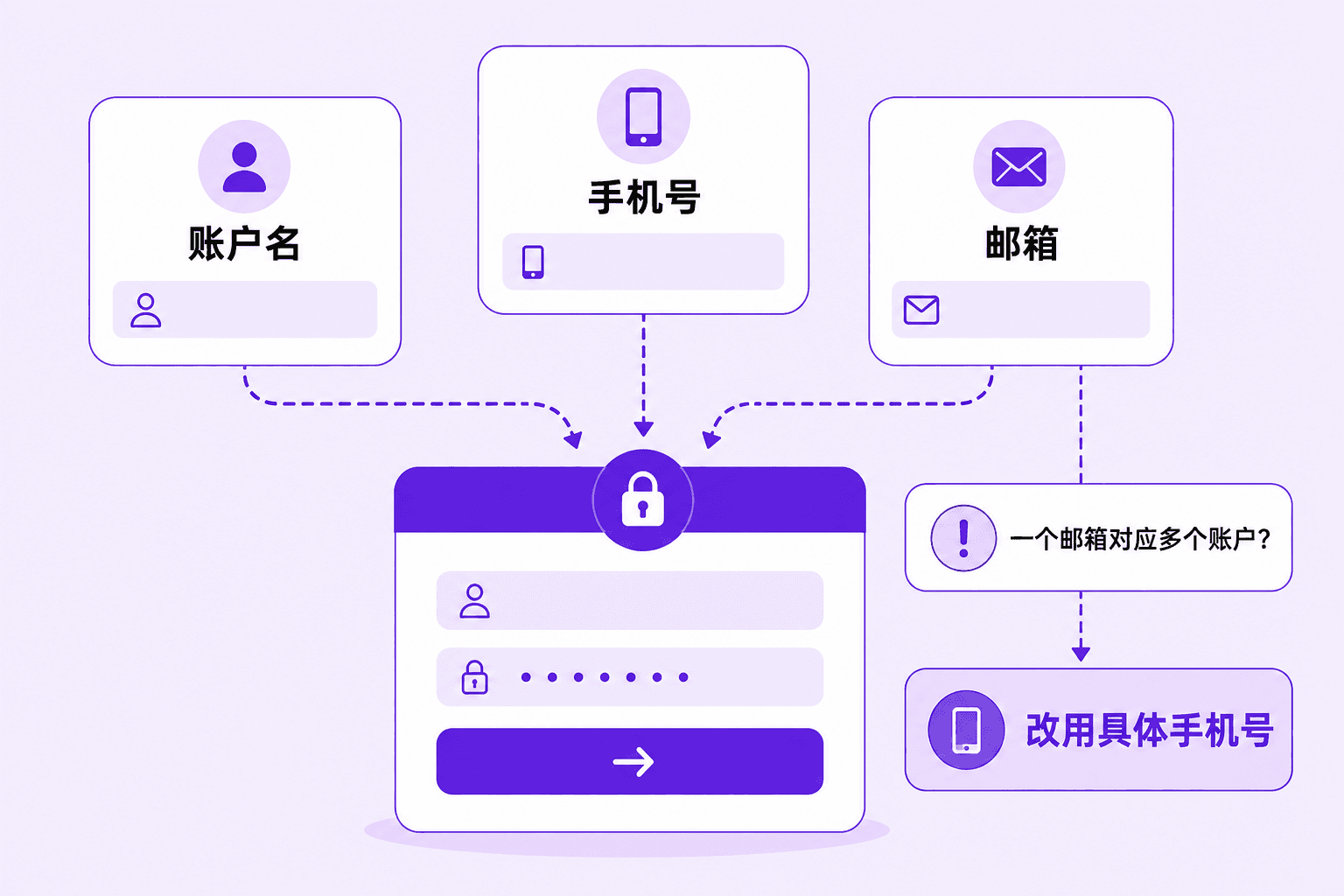
- 1
Start with the exact mobile number
If several giffgaff numbers share one email, enter the UK number that belongs to the account being recovered. - 2
Try the member name next
Text name, membername or username to 43430 from the relevant giffgaff SIM. If the SIM is unavailable, check previous giffgaff emails for the member name. - 3
Use email only when it is unique
Treat email as the login identifier only when it maps to a single member account.
Reset the password only after identifying the account
- 1
Stop repeated password guesses
Confirm that the number, member name or email belongs to the intended account, then open the official password-reset route. - 2
Check the reset message
Look in the inbox and junk folder. When one email manages several accounts, return to the exact mobile number after the reset. - 3
Return to the official login page
Use the new password there rather than following an unfamiliar link from a message or chat.
Use the five-minute and ten-minute 2FA checkpoints
giffgaff sends two-step verification by SMS by default, but the login page also offers email. A member abroad who cannot receive the SMS but can still access the linked email can choose email on the login page without changing the mobile number on the account.
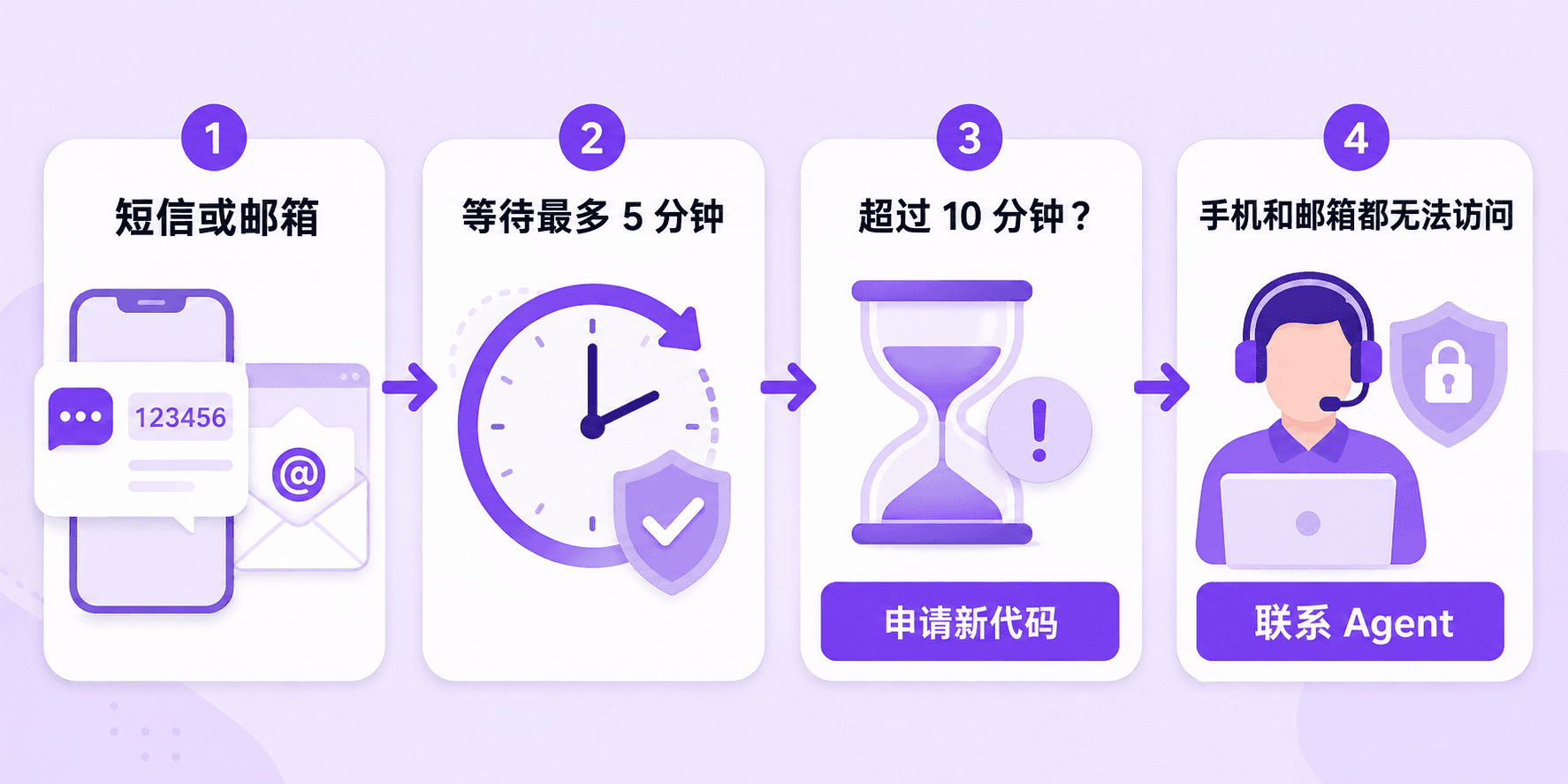
- 1
Confirm the delivery channel
Check whether the page shows the account number or email. For SMS, keep the phone on with signal and disable flight or do-not-disturb mode; for email, check junk folders. - 2
Wait up to five minutes
giffgaff says delivery can take up to five minutes. Use resend only after that wait if nothing arrives. - 3
Replace a code older than ten minutes
A code more than ten minutes old may have expired. Request another and enter only the newest message, even if an older one arrives later.
Troubleshoot the website and app separately
| Scenario | Checks in order |
|---|---|
| Website login fails | Recheck the identifier and password, clear giffgaff cookies and cache, then try Firefox, Edge or Chrome. |
| Email code does not arrive | Turn a VPN off temporarily, check junk mail, clear browser data, then try another browser before resending. |
| App login fails | Update the phone system and giffgaff app, force close and reopen it, then reinstall only if the problem remains. |
| SMS code does not arrive | Confirm the phone is on with mobile signal, disable flight and do-not-disturb modes, then wait five minutes. |
Use agent recovery when both channels are unavailable
If neither the account phone nor email is accessible, use giffgaff agent recovery. State the target number, possible member name, previous email and recent account activity, then follow the exact ownership checks requested for that case.
- check_circleOpen by saying that neither the account phone nor email can receive the login code.
- check_circleProvide enough information to locate the account, but answer only the ownership questions the agent requests.
- check_circleKeep the ticket time and responses together instead of opening several identical recovery requests.
- check_circleDo not send a full payment details, password, SMS code or email code.
Reduce the next lockout risk after recovery
- check_circleConfirm that the account email and number remain accessible, and record the member name.
- check_circleUnder Security > 2-step verification online, or Account > Security in the app, set the long-term email or SMS route as the default.
- check_circleOn a supported phone, add an optional passkey using a fingerprint, face or device lock; password login remains available.
- check_circleIf the passkey depends on Apple or Android account syncing, confirm that the cloud account will remain available after a device change, or add another passkey on a backup device.
- check_circleSign out and complete one full login test so that the password, default verification channel and passkey provide at least one working route.
Login recovery questions
Why does giffgaff email login not find the account?expand_more
How long does a two-step code remain usable?expand_more
How can a forgotten giffgaff member name be recovered?expand_more
What should a member abroad do when the giffgaff login SMS does not arrive?expand_more
Can access be recovered without the phone and email?expand_more
Should a passkey be added after recovery?expand_more
官方来源 / Official sources
- Logging into your giffgaff account · giffgaff
- Setting up a passkey on your mobile device · giffgaff
Check current LarkSIM availability
Review the current supply, activation boundary and support scope before ordering a physical SIM.
arrow_forwardView the giffgaff physical SIM