XeSIM X7 Bluetooth card: built-in Bluetooth, iPhone app control, up to 30 eSIMs

Recommended gear · Sold by XeSIM

XeSIM X7 Bluetooth eSIM Card

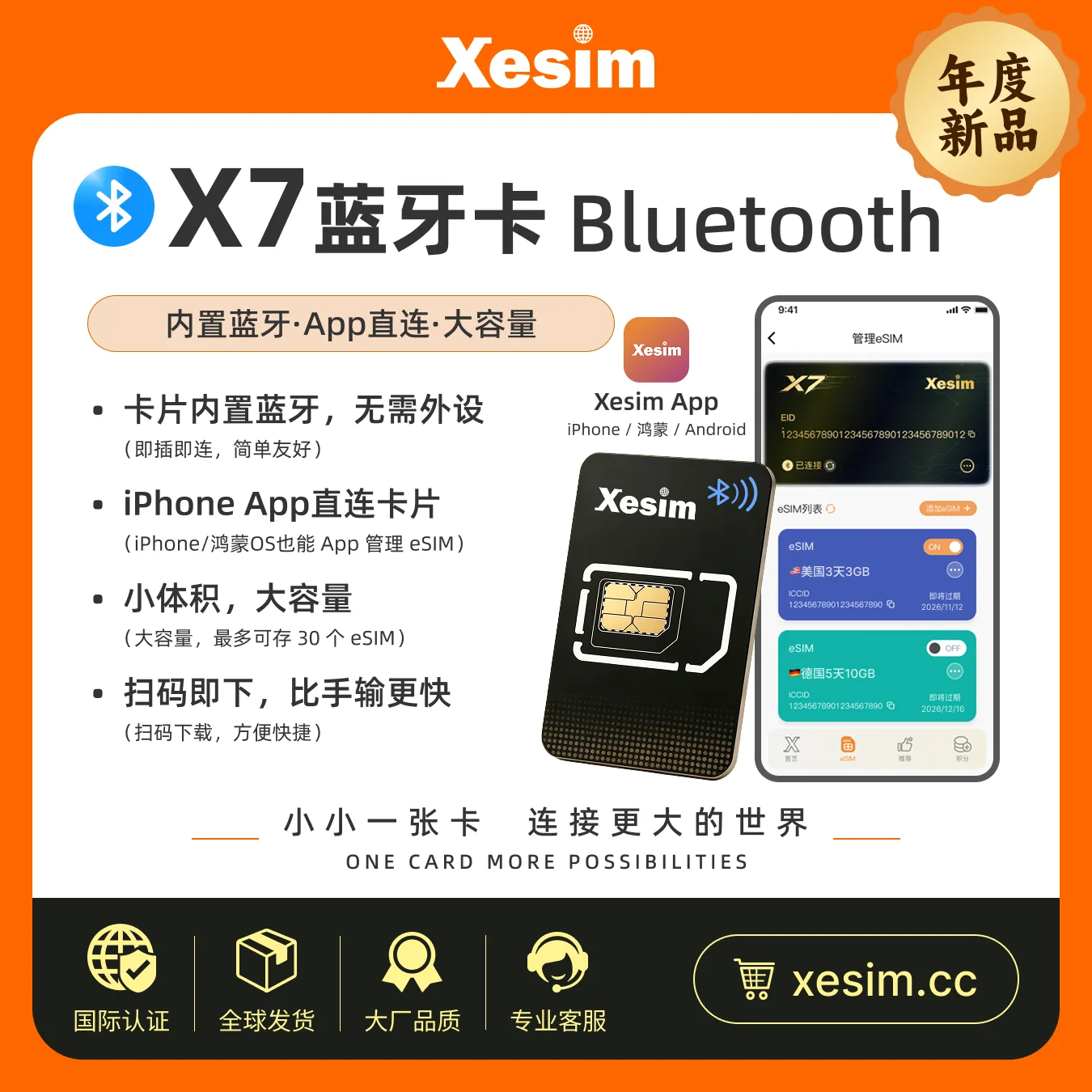
A physical card with built-in Bluetooth. Insert it into your phone's SIM slot, then add, switch and manage eSIMs in the XeSIM app on iPhone, HarmonyOS or Android.

LarkSim does not sell this item

We only recommend it. You order on the official XeSIM store, and XeSIM ships it and handles after-sales. Enter our code at checkout for 10% off.

Promo code (not case-sensitive)

Buy on the XeSIM store

Price and discount are shown on the official checkout page.

What it does

bluetooth

Built-in Bluetooth, no extra device

Insert the card and connect it to the app. No card reader or second phone is needed.
smartphone

Manage eSIMs in the app

The XeSIM app on iPhone, HarmonyOS and Android shows the connection and the eSIMs on the card.

sim_card

Stores up to 30 eSIMs

Keep several eSIM plans on one card and switch the one you use in the app.

qr_code_scanner

Add by QR code

Scan a QR code, import from photos, type an activation code or use a redemption code.
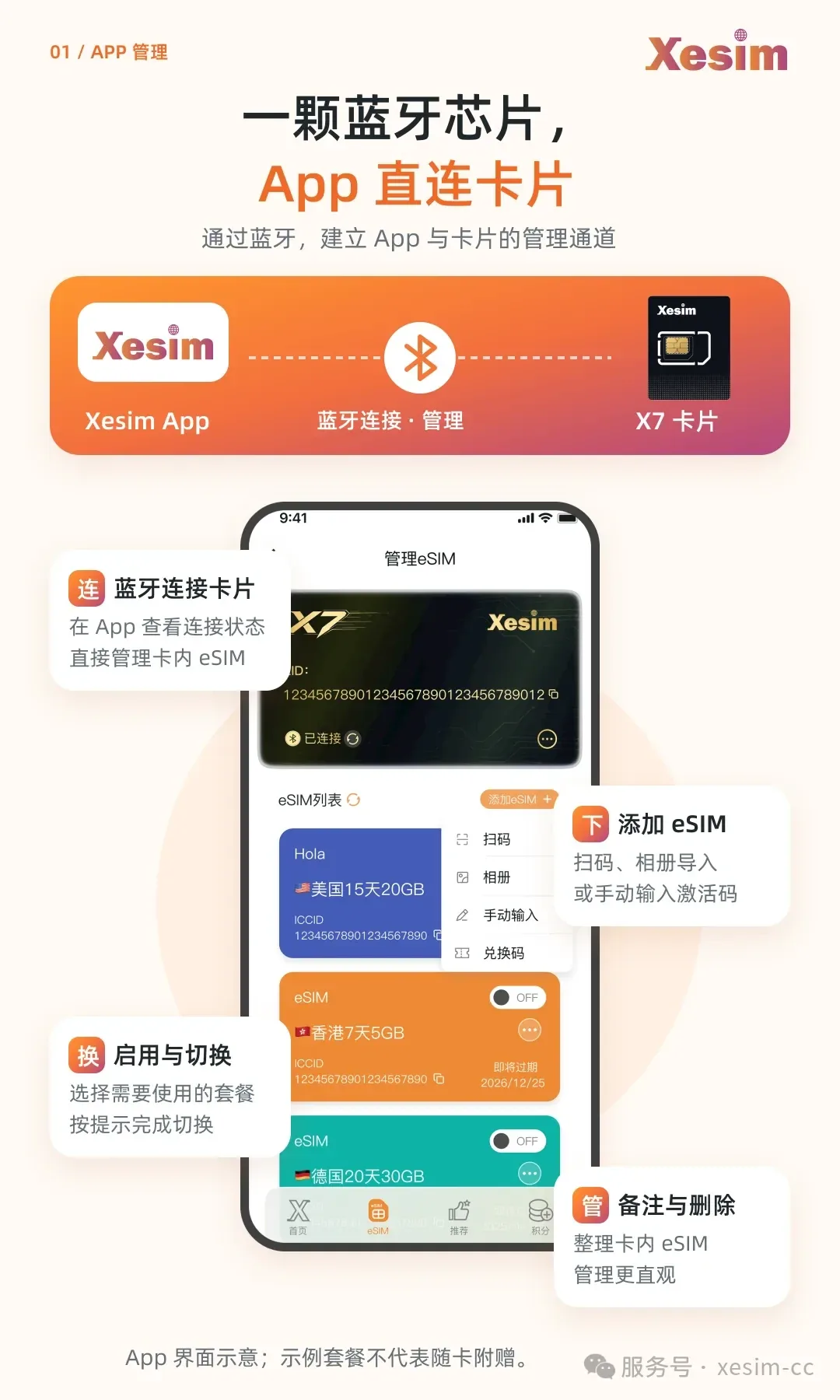
XeSIM app screens: Bluetooth connection, adding, switching, labelling and deleting eSIMs
Images supplied by XeSIM. App screens are illustrations; sample plans are not included with the card.

Who it suits

  • checkYou use a phone with a physical SIM slot that cannot use eSIM directly, such as a China-version iPhone.
  • checkYour carrier or travel provider gives you an eSIM QR code or activation code, and you want to use it on that phone.
  • checkYou keep several eSIMs for travel or different numbers and want to switch between them in one app.

Who it does not suit

  • closeYour phone already supports eSIM: add the eSIM in the phone's own settings instead.
  • closeYour phone has no physical SIM slot (for example eSIM-only iPhone models): the card cannot be inserted.
  • closeYou expect it to copy a physical SIM into an eSIM: it cannot. You still need an eSIM profile issued by the carrier.
Buy on the XeSIM store

Affiliate disclosure: LarkSim may earn a commission when you buy through the link or code on this page. This page is a LarkSim recommendation and is not an official XeSIM page.
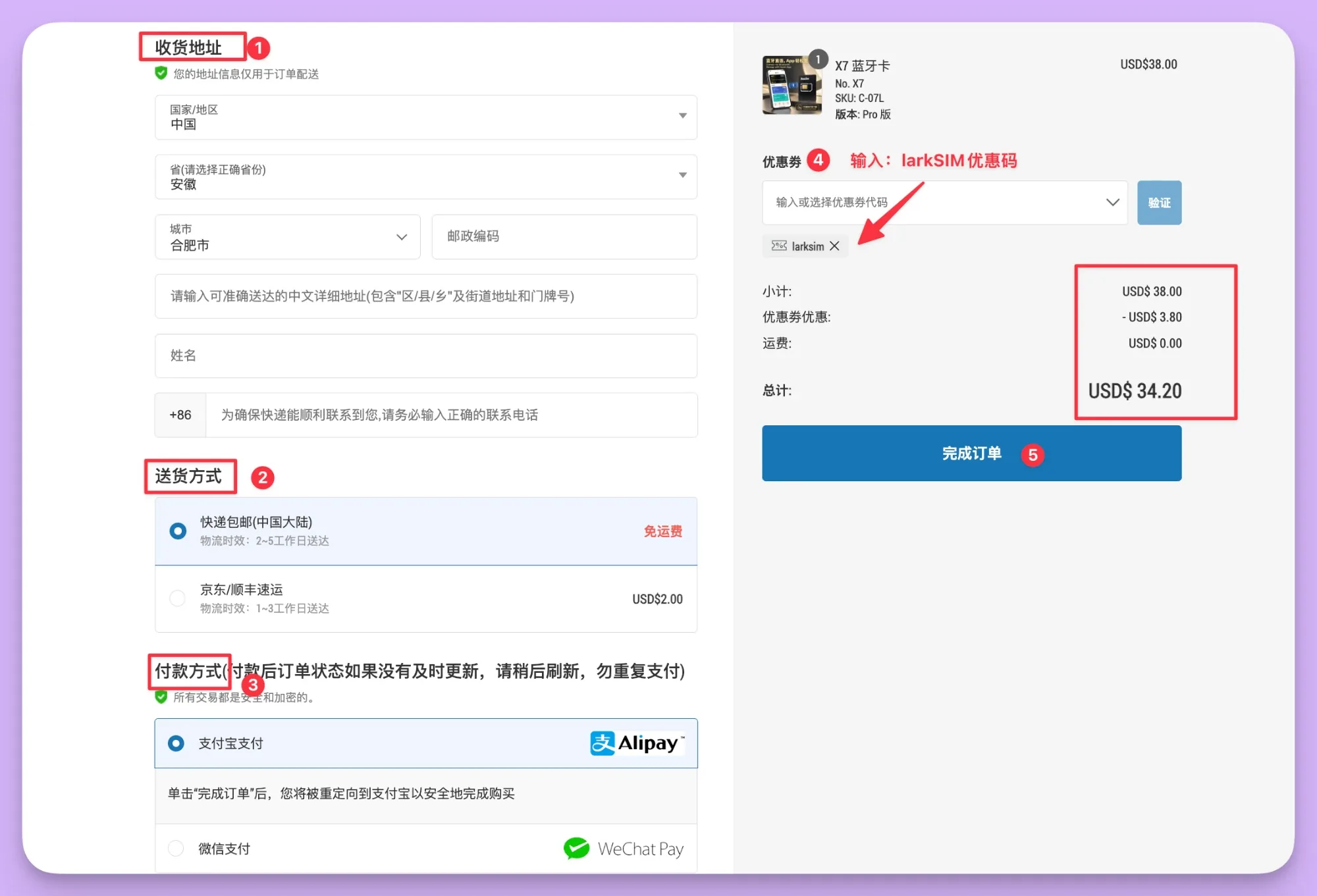
How to use the promo code

  1. 1On the XeSIM store, fill in your shipping address.
  2. 2Choose a delivery option; standard delivery in mainland China is free.
  3. 3Choose Alipay or WeChat Pay.
  4. 4Under "Coupon", enter LARKSIM and tap "Verify"; the total drops by 10%.
  5. 5Check the total and tap "Complete order".
XeSIM checkout page: enter the LARKSIM coupon and the total drops from USD 38.00 to USD 34.20
Checkout screenshot from the XeSIM store (Chinese interface). Prices may change; the checkout page is final.

FAQ

Can I buy the XeSIM X7 on LarkSim?

No. LarkSim only recommends it. Orders, shipping, refunds and after-sales are handled by XeSIM on its official store.

How do I use the promo code?

Enter LARKSIM at checkout on the XeSIM store. The code is not case-sensitive and takes 10% off; the amount shown at checkout is final.

Can I put my giffgaff number on it?

Only if giffgaff issues you an eSIM. giffgaff supports switching to an eSIM in its app; read our giffgaff eSIM guide first, since switching replaces your current SIM.

Read the giffgaff eSIM guide